
Blog
Best Office Printer Rental Options for Short-Term Business Events in the UK


Running a business event in the UK comes with a long list of logistics to manage, and printing is one of those things that often gets overlooked until the last minute. Whether you need to produce name badges, handouts, contracts, signage, or on-demand marketing materials, having reliable printing on site can make a real difference to how smoothly everything runs. That is where office printer rental comes in. Rather than purchasing expensive equipment you will only use once or twice, renting gives you exactly what you need, when you need it, without the long-term commitment or upfront cost.
This guide walks you through the best options available for short-term business events in the UK and helps you figure out which solution fits your setup.
Why Renting a Printer Makes Sense for Events
Buying a high-quality office printer is a significant investment, and for a one-off event or a short-term project, it simply does not make financial sense. Renting, on the other hand, gives you access to professional-grade equipment that would otherwise be out of budget. You get the performance without the price tag, plus you are not stuck maintaining or storing the hardware once the event is over.
There is also the question of support. When you rent from a reputable provider, technical assistance usually comes as part of the package. If something goes wrong on the day, you have someone to call rather than scrambling to fix things yourself in the middle of a busy event.
Types of Printers Available for Short-Term Hire
Understanding what is available helps you make the right choice. Here are the most common options you will come across.
1. Laser Printers
Laser printers are the go-to choice for high-volume document printing. They are fast, reliable, and produce sharp, professional results. If you are printing hundreds of pages of reports, agendas, or presentations, a laser printer will handle the workload with ease. They are ideal for conferences, trade shows, corporate training days, and team away days.
2. Inkjet Printers
Inkjet printers are better suited to colour-heavy printing, such as marketing materials, brochures, and images. They tend to be slower than laser models but deliver superior colour accuracy. If visual presentation matters, an inkjet is worth considering.
3. Wide Format Printers
For events where you need posters, banners, or oversized signage, wide format printers are the answer. These machines handle large media sizes that standard office printers simply cannot accommodate. They are popular at exhibitions, product launches, and retail events.
4. All-in-One Devices
If you need more than just printing, an all-in-one device that also scans, copies, and faxes can save you both space and money. These versatile machines are a practical choice when your event involves a mix of tasks.
What to Look for in a Printer Hire Provider
Not all rental companies are created equal, so it pays to know what to look for before you commit. A reliable office printer hire service should offer flexible rental periods, clear pricing with no hidden fees, delivery and collection as standard, and on-site or remote technical support when things do not go to plan.
Response times matter too. At a live event, you cannot afford to wait hours for help. Make sure the provider you choose has a clear support process and can respond quickly if issues arise during your event.
Matching the Right Printer to Your Event Type
Different events have different printing demands, and getting this match right is key.
For conferences and seminars, speed and volume are the priorities. A fast laser printer that can handle continuous printing without overheating is your best bet. For exhibitions and trade shows, colour quality often matters more. Vibrant, eye-catching printed materials help your stand look polished and professional. For corporate hospitality and private events, an all-in-one device that handles printing and scanning gives you flexibility without taking up too much floor space.
If your event involves on-demand printing, such as personalised certificates, receipts, or photo printing, look for a provider that can set up the equipment with the right software to make the process seamless.
A Trusted Partner for Printer Rental for Offices and Events
If you are based in the UK and looking for a dependable partner for printer rental for offices and corporate events, it is worth working with a company that understands both the technology and the event environment. The Tekk Group has built a strong reputation for delivering reliable technology hire solutions to businesses across the country. Their team understands the pressures that come with live events and works hard to make sure everything runs without a hitch, from initial enquiry right through to collection after the event.
The Right Print Setup Makes Everything Run Smoother
When your event is running at full pace, the last thing you want is a printer jam or a queue of frustrated delegates. Getting your print setup right from the start removes that stress entirely and lets you focus on what really matters, delivering a great experience for your guests and achieving your business goals.
If you are planning a short-term business event in the UK and need professional, flexible printing solutions, The Tekk Group is ready to help. With a wide range of equipment available for hire, transparent pricing, and a team that genuinely cares about getting it right, they are the kind of partner that makes your event feel effortless. Visit their website today and find out how easy office printer rental for business can really be.
Frequently Asked Questions
Q1: How far in advance should I book a printer rental for my event?
It is best to book as early as possible, ideally at least two to three weeks before your event. This gives the rental provider time to confirm availability, arrange delivery, and set up any custom configurations you might need. For larger events or if you need multiple units, booking even earlier is recommended to avoid missing out on the right equipment.
Q2: Is technical support included with printer hire?
Most professional printer rental providers include some level of technical support as part of their service. This can range from a helpline you can call during the event to a dedicated on-site technician. Always clarify what support is included when you book, particularly if you are running a high-stakes event where downtime is not an option.
Q3: Can I rent a printer for just one day?
Yes, short-term and single-day rentals are widely available in the UK. Many providers are set up specifically to serve events and short-term business needs, so you are not locked into lengthy contracts. Always confirm the minimum hire period and whether the daily rate changes for shorter bookings.
Q4: What consumables are included with a printer rental?
This varies by provider, but many include a standard supply of paper, ink, or toner as part of the rental package. If your event has high printing volumes, it is worth discussing your expected usage upfront so the provider can ensure you have enough supplies. Some companies will also top up consumables during the event if needed.


You finished the game. You published it. People are clicking through and loading it up. But the session data tells an uncomfortable story: most of them are gone within the first sixty seconds. Not because the game is broken. Not because the concept is bad. But because something in that first minute lost them before they had a chance to care.
This is one of the most common problems creators face, and it is also one of the most fixable. The first minute of any game is not just an introduction. It is an audition. Players are not yet invested. They have no context, no attachment, and no particular reason to stay. Your job during that window is entirely different from your job during the rest of the game, and most creators do not treat it that way.

The First Session Is a Different Design Problem
When you are building the later parts of your game, you are designing for someone who already understands the controls, has experienced a few wins and losses, and is emotionally invested in seeing what comes next. You can introduce complexity. You can add layers. You can challenge them.
When you are designing the first sixty seconds, you are designing for someone who knows absolutely nothing. They cannot feel the depth of your game yet. They cannot appreciate the systems you built or the progression you planned. All they know is what is happening right now on their screen, and whether it is worth staying for.
This is why the first session needs to be treated as its own design problem, separate from the rest of the game. The question is not “is this game good?” The question is “does this game feel worth continuing within the first minute of play?”
The Four Reasons Players Leave in the First Minute
Most early drop-off comes from a small set of specific problems. Understanding which one is hurting your game is the first step toward fixing it.
Confusion before engagement. If a player does not understand what they are supposed to do within the first few seconds of actually playing, they leave. Not because the mechanic is complicated, but because they were never given a clear immediate goal. The question in their mind is “what am I doing here?” and if the game does not answer it quickly, they stop asking.
Overloaded onboarding. Tutorials that dump too much information before the player has any context for why it matters create the opposite of the intended effect. A player who has not touched the mechanic yet cannot retain instructions about it. They feel overwhelmed, which is not the emotional state you want them in during the only window where first impressions are being formed.
No early reward. Players who put effort into a game, even tiny effort like pressing a button and moving a character, expect some form of feedback or reward in return. That reward does not need to be elaborate. It just needs to confirm that what they did mattered and that continuing is worth their time.
A gap between the promise and the reality. If your game’s description, thumbnail, or title set a specific expectation and the first minute delivers something that feels different or lesser, players leave feeling deceived even if the description was technically accurate. Matching the emotional promise of your marketing to the emotional reality of the opening experience is part of good game design, not just good marketing.
What Good Onboarding Actually Looks Like
The goal of onboarding is not to teach the player everything. It is to get them to their first genuine moment of enjoyment as quickly as possible.
The best onboarding in games does not explain, it demonstrates. It puts the player in a situation where doing the right thing feels obvious, the outcome of doing it is immediately satisfying, and the natural next step is equally clear. The player learns through play, not through instructions, and they finish the onboarding sequence feeling capable rather than informed.
For creators who create a game using AI tools or a no-code game maker, this principle applies just as directly as it does for a traditionally coded game. The delivery method does not change what players need in those first sixty seconds.
A few things that consistently improve opening sessions:
- Give the player something to do within the first ten seconds, not something to read
- Make the first action something they can succeed at without prior knowledge
- Follow the first action immediately with clear positive feedback, a sound, a visual, a score change, anything that confirms they did something right
- Introduce a second mechanic only after the first one has been demonstrated and rewarded
- Keep text minimal during active play, since instructions that appear while the player is trying to act get ignored
Sandbox Showdown: A Game That Solves Onboarding by Removing the Problem Entirely
Sandbox Showdown, available on Astrocade.com, takes an approach to the first-minute problem that is worth thinking about as a design strategy. It is a 3D destruction sandbox where players navigate four distinct environments using interactive tools with one explicit goal: cause as much chaos and mayhem as possible.
The reason this design sidesteps most early drop-off problems is that there is no wrong way to start. The goal is chaos, and chaos is self-explanatory. A new player picking up a tool and using it is automatically succeeding because any destruction counts. There is no confusion about objectives because the objective is obvious the moment you touch anything. There is no onboarding gap because the game does not ask you to learn a system before rewarding you. It just rewards you for doing what you were going to do anyway.
This is not luck. It is a deliberate design choice that removes the friction points that usually cause early drop-off. For creators building their own games, Sandbox Showdown is a useful example of a design principle worth considering: what would the game look like if every possible action a new player takes in the first minute is a valid and rewarding one?
The Tutorial Trap: Why Explaining Too Much Costs You Players
There is a well-documented pattern in game analytics where players drop off at a higher rate during tutorials than immediately after them. That sounds backwards. A tutorial should make players more confident. But the data consistently shows the opposite for tutorials designed around explanation rather than experience.
The problem is attention and context. A new player reading a tooltip about a mechanic they have not used yet is reading something they cannot fully process. They do not have the experiential foundation to make the instruction meaningful. By the time they reach the situation where that instruction would have been useful, they have forgotten it.
The solution is not to remove guidance. It is to deliver guidance at the moment it is relevant. A tip that appears exactly when the player encounters the situation it addresses is far more effective than the same tip shown five seconds before. This timing is the difference between onboarding that helps and onboarding that overwhelms.
Using Data to Find Your Specific Drop-Off Point
Every game has a different first-minute problem, and fixing yours requires knowing exactly where in that window players are leaving. A player who quits at second ten is experiencing a different problem than a player who quits at second fifty.
If your platform provides session data, look for the specific moment where the biggest single drop in active players occurs. That moment is almost always pointing at a specific design problem: a confusing transition, an unclear objective, a control that does not respond the way players expect, or an absence of feedback after their first action.
When you find that moment, the fix is usually simpler than the problem looked. Moving a tooltip. Changing the timing of the first reward. Adding a single sound effect that confirms an action was registered. Removing a tutorial screen that was interrupting the flow. Small changes to the first minute can have outsized effects on how many players make it to the second minute.
What Happens After Players Survive the First Minute
Fixing the first minute is not the end of the retention conversation. It is the beginning. A player who makes it past sixty seconds has cleared the hardest hurdle, but they still need a reason to come back after the first session ends.
The core loop of your game, the repeating cycle of action, feedback, and reward that drives engagement, needs to be visible to the player before they close the tab. They do not need to complete it. But they need to feel it operating and understand at some level that it will keep delivering if they return.
This is why the end of the first session matters almost as much as the beginning. A player who runs out of content, hits a wall, or simply does not know what to do next after their initial exploration will not return, even if they enjoyed what they played. The first session should leave them with an open loop, something they want to resolve, a goal they did not finish, a mechanic they want to try again, a question the game raised but did not answer.
Building for Retention From the Start, Not as an Afterthought
The creators who struggle most with first-minute drop-off are usually the ones who built the whole game first and added onboarding at the end. By the time they are designing the opening experience, they are so familiar with the game that they cannot remember what it was like not to understand it.
The more effective approach is to treat the first sixty seconds as a design priority from day one. When you make your own game, whether through a traditional engine, a game builder, or an AI game maker, think about the opening experience the same way you think about the core mechanic: what is the minimum a player needs to feel in order to be hooked? Then build toward that specific feeling, and test it with people who have never seen your game before.
A player who quit after one minute almost never comes back. A player who made it to five minutes has a genuine shot at becoming someone who plays regularly. That gap is almost always decided by design decisions in the first sixty seconds.
Your Drop-Off Rate Is a Design Problem. And Design Problems Have Solutions.
Seeing players leave early feels discouraging, but it is actually one of the most useful signals a creator can get. It tells you exactly where the experience is breaking down and exactly where to focus your next iteration.
The first minute of your game is not a curtain-raiser. It is the audition, the pitch, and the first chapter all at once. When it works, everything downstream works better. When it does not, even the best game in the world does not get the chance to prove itself.


A procurement manager at a mid-sized manufacturer signs off on a new packaging supplier. The quote is competitive, the samples are good, and the decision looks sound. Eight months later, an internal review notices that the supplier’s operations director is the manager’s brother-in-law.
The manager never hid the relationship. Nobody ever asked. The annual declaration form he completed two years earlier covered shareholdings and second jobs, and at the time his brother-in-law worked somewhere else entirely.
Most conflicts of interest look like this. They are rarely schemes. They are ordinary relationships and interests that shift over time, meeting a disclosure process that only looks once a year, at a single point, with the same questions for everyone.
A Conflict Is Not A Wrongdoing
A conflict of interest exists when someone’s personal interests could influence, or appear to influence, decisions they make at work. Having one is not misconduct. Failing to declare it, or continuing to make decisions affected by it, is where the problems begin.
The distinction matters because it shapes how people respond. If staff believe that admitting a conflict will be treated as a confession, they will declare as little as possible. If they see disclosure as a routine part of working life, followed by sensible arrangements such as stepping back from a particular decision, they are far more likely to be open.
Organisations that handle conflicts well tend to treat declarations as useful information rather than evidence against the person making them.
Where Conflicts Usually Hide
Financial interests are the obvious category: shares in a supplier, a stake in a competitor, or an investment in a business the organisation deals with. They are also the type most forms are designed to catch.
Family relationships are harder. A partner working for a customer, a sibling running a contractor, or a relative applying for a job in the same department can all create conflicts that the employee may not think to mention unless asked directly.
Outside employment and roles raise similar issues. Consulting work, a seat on another company’s board, or a part-time role with a charity that receives funding from the employer can all overlap with someone’s main job.
Gifts and hospitality from business contacts, and political or government relationships, round out the common categories. Each carries different risks depending on who receives them and what decisions that person makes.
Why One Form For Everyone Falls Short
The traditional approach sends the same declaration form to every employee once a year. It is simple to run, and it creates a record that disclosures were requested. It also has clear weaknesses.
A warehouse operative and a head of procurement face very different conflict risks. Giving them identical questions means the form is either too detailed for most staff or too shallow for the people whose decisions carry real financial weight.
Volume is another problem. In a large organisation, hundreds of declarations arrive in a short window. Most are routine. A small number deserve close attention. When everything lands in the same queue, reviewers spend their time on the routine ones while the significant disclosures wait.
Annual timing is the third weakness. People change roles, relatives change jobs, and new suppliers are appointed throughout the year. A snapshot taken every twelve months can be out of date within weeks.
Asking Better Questions
Many organisations now tailor declarations to the role. Senior leaders and directors receive questions about board positions and significant financial interests. Procurement staff are asked specifically about relationships with suppliers. Managers are asked about connections to people in their reporting line. Everyone else receives a shorter baseline form.
Adaptive questioning helps further. When someone answers yes to having a relationship with a supplier, follow-up questions appear asking for details. When an answer crosses a set threshold, such as a gift above a certain value, the declaration can be flagged for prompt review. Staff with nothing to declare move through quickly, and those with something relevant are guided to provide what reviewers actually need.
Tracking Change, Not Just Status
A single year’s declarations show what people have disclosed. Comparing years shows what has changed, which is often more revealing.
When last year’s answers are carried forward, employees can confirm that nothing has changed or update what has. Reviewers can then see new conflicts, modified ones, and those that have been resolved, rather than reading every declaration from scratch. Patterns that build gradually become visible, and the organisation has a full history if it ever needs to show how a particular conflict was handled.
Moving From Policing To Guidance
The most useful shift many organisations make is introducing pre-clearance. An employee considering an outside directorship, a consulting arrangement, or an investment can ask before acting, and receive a clear answer from the right reviewer.
This changes how staff experience the process. Instead of a yearly exercise that feels designed to catch them out, conflict management becomes a source of advice when they need it. People tend to engage with a process that helps them avoid problems, and that engagement produces more honest disclosures.
Spreadsheets Reach Their Limit
Running all of this manually is possible in a small organisation. It becomes unwieldy as headcount grows. Compiling staff lists, emailing forms, chasing non-responders, removing leavers, and adding new starters consumes a surprising amount of time, and people slip through the gaps.
This is where conflict of interest disclosure management software has become common. Connected to HR records, such systems can send the right form to the right people automatically, enrol new starters, update forms when someone changes role, schedule reminders, and show completion rates as a campaign runs. Declarations that need closer attention can be escalated into an investigation process, with the link back to the original disclosure preserved.
Technology does not decide whether a conflict is acceptable. Reviewers still need to weigh the circumstances, agree sensible safeguards, and record their reasoning. What automation removes is the administrative work that crowds out that judgement.
Getting The Basics Right
Whatever tools an organisation uses, a few principles tend to make the difference.
Policies should explain clearly what counts as a conflict, with practical examples drawn from the organisation’s own work.
Questions should match the risks attached to each role rather than applying a single template to everyone.
Declarations should be possible at any time, not only during the annual campaign.
Reviews should end with a recorded decision and, where needed, a clear arrangement such as stepping away from a particular contract.
Leaders should declare their own interests visibly and promptly, since staff take their cue from the top.
Questions Worth Asking
Do current disclosure forms ask different questions of people with different levels of decision-making power?
How quickly would a new conflict be noticed if it arose midway through the year?
Can reviewers easily distinguish routine declarations from those needing urgent attention?
Do employees know they can ask for guidance before taking on an outside interest?
Conflicts of interest are a normal part of working life. The organisations that manage them well are not the ones with fewer conflicts, but the ones that hear about them early enough to deal with them sensibly.

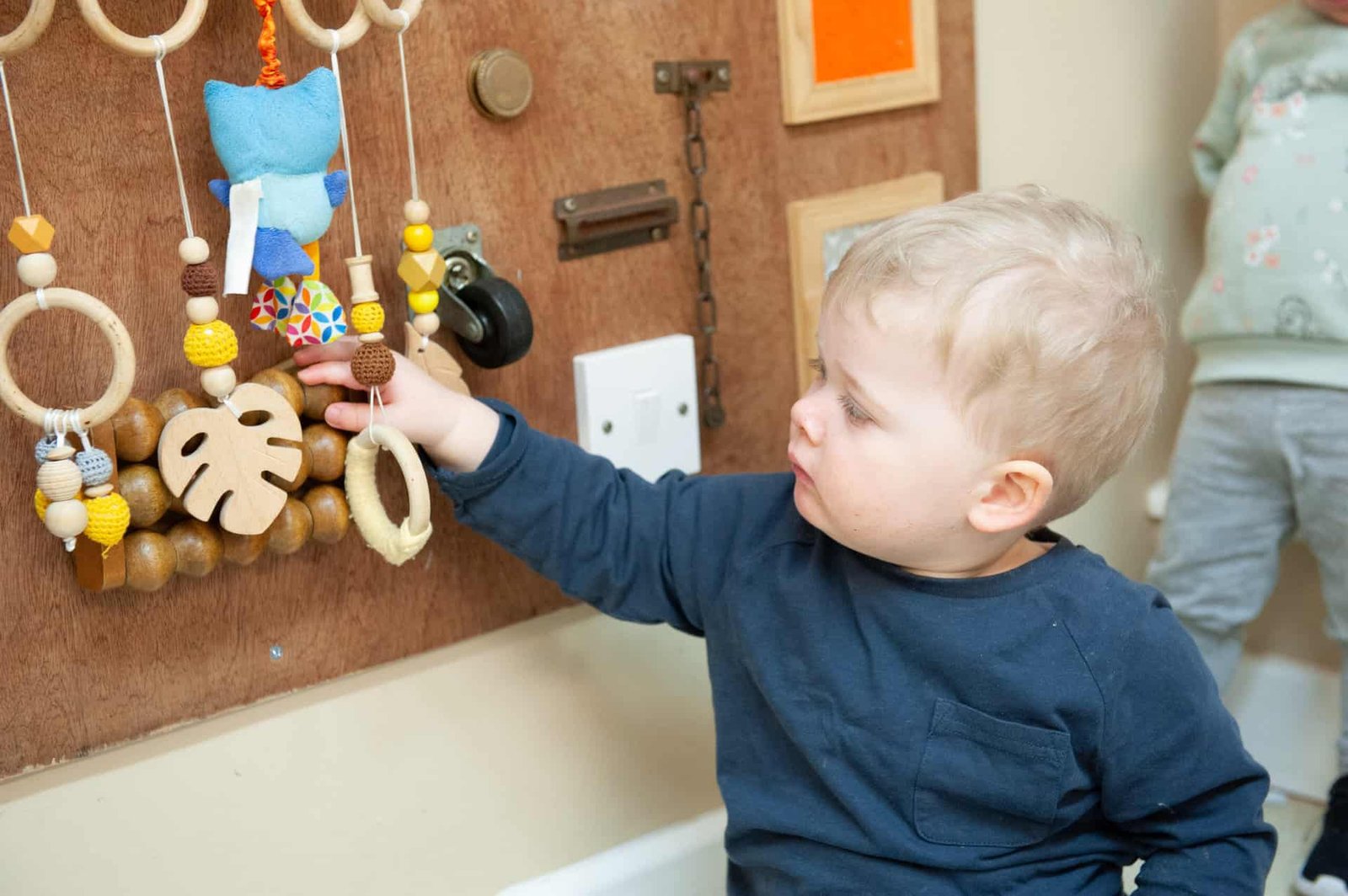
Choosing a nursery school is an important milestone for families. For many children, it is their first regular experience of learning alongside other children, following a classroom routine, and spending time away from home. While early literacy and numeracy certainly matter, nursery education supports a much wider range of developmental skills.
Young children learn best when they feel secure, interested, and actively involved. A thoughtfully designed nursery environment combines stories, play, conversation, movement, creativity, and practical experiences so children can develop naturally while enjoying the learning process.
Why Nursery Education Matters
The early years are a period of rapid growth. Children are developing language, coordination, social awareness, emotional regulation, and problem-solving abilities at the same time.
A nursery school can support these areas through everyday experiences rather than relying only on formal lessons.
For example, building with blocks involves planning and spatial awareness. Listening to stories develops vocabulary and comprehension. Playing with classmates introduces cooperation and communication.
Learning Happens Through Experience
Young children need opportunities to touch, move, build, sort, create, and experiment.
A good nursery school makes learning interactive. Instead of expecting children to absorb information passively, educators encourage them to explore concepts through activities that make sense at their developmental stage.
This helps children connect new ideas with real experiences.
Language Development Starts With Conversation
Children develop communication skills throughout the day.
Stories, songs, rhymes, role play, and everyday conversations expose children to new words and encourage them to express their ideas.
A nursery school should create many opportunities for children to speak, listen, ask questions, and participate in discussions.
Stories Encourage Imagination
Books do more than prepare children for reading.
Stories help children understand characters, emotions, sequence, and cause and effect.
Teachers can ask children to predict what happens next, describe illustrations, or talk about how a character might feel.
These interactions make literacy meaningful rather than mechanical.
Social Skills Grow in a Group Setting
Young children are still learning how friendships work.
They may struggle to share, wait for turns, or manage disagreements. These situations are normal and provide useful learning opportunities.
Families exploring a nursery learning environment in ESTZ Chennai can observe how educators help children communicate and cooperate.
A nursery school should guide children through social challenges without expecting perfect behavior.
Creativity Supports Flexible Thinking
Drawing, painting, music, construction, storytelling, and imaginative play give children opportunities to express themselves.
A nursery school should not make every creative activity produce an identical result.
Children benefit from choosing materials, experimenting with ideas, and discovering that there can be more than one way to solve a problem.
Mistakes Are Valuable
A tower may fall. A puzzle piece may not fit. A drawing may change halfway through.
These moments teach persistence.
Teachers can encourage children to try again rather than immediately completing the task for them.
Physical Development Needs Daily Attention
Young children need movement.
Running, jumping, balancing, dancing, climbing, and outdoor play support gross motor development. Drawing, threading, building, and puzzles strengthen fine motor control.
A balanced nursery school programme should include both energetic and quieter activities.
Movement can also improve concentration by giving children healthy opportunities to use their energy.
Independence Develops Gradually
Small responsibilities can build confidence.
Children might carry belongings, tidy materials, wash hands, select activities, or help organize a shared space.
A nursery school should allow children enough time to attempt manageable tasks independently while keeping adult support available.
These simple experiences teach children that they are capable.
Predictable Routines Create Security
Young children often feel more comfortable when the day follows a recognizable pattern.
Arrival, activities, meals, stories, movement, and departure cues help them anticipate what comes next.
Predictability can make the environment feel safe while children develop independence.
Conclusion
A nursery school provides much more than early academic preparation. It creates a community where children can build language, social confidence, creativity, physical coordination, emotional awareness, and independence.
The strongest early-learning experiences often happen during ordinary moments: listening to a story, solving a puzzle, completing a small task, or learning how to cooperate with a friend.
When children experience these moments in a warm and supportive environment, they develop skills and attitudes that can support them throughout their future education.

Why Your Game Is Losing Players After the First Minute

VirtualVetDesk Guides on How to Clean a Cat Wound?

Top Orthodontic Clinics in Manchester for Braces and Aligners

Who Is Shameera? All You Need To Know About Charli XCX’s Mother

Who Is Gulliver Flynn Oldman? The Untold Story of Sir Gary Oldman’s Son

Meet Rosemary Turner: The Mother of Actor Callum Turner
-
Biographies8 months ago
Who Is Shameera? All You Need To Know About Charli XCX’s Mother
-
Biographies8 months ago
Who Is Gulliver Flynn Oldman? The Untold Story of Sir Gary Oldman’s Son
-
Biographies8 months ago
Meet Rosemary Turner: The Mother of Actor Callum Turner
-

 Biographies6 months ago
Who is Alexandra James? Inside The Life of Jeremy Clarkson’s Former Partner
-
 Biographies8 months ago
Who is Todd McRae? Meet Tate McRae’s Father
-
 Biographies8 months ago
Who Is Daniel Mara? The Untold Story of Kate Mara’s Private Sibling
-
 Celebrity9 months ago
Who Is Peter Hernandez? The Real Story of Bruno Mars’ Father
-
 Biographies8 months ago
Who Was Adrian Mayers? The Untold Life of A$AP Rocky’s Late Father