
Ai & Tool
How to Choose the Right Mobile Testing Tools


Mobile applications have become the primary way businesses connect with customers. Whether it’s banking, healthcare, retail, gaming, or media streaming, users expect apps to perform flawlessly across different devices, operating systems, and network conditions. Even a minor bug or performance issue can lead to poor reviews, customer churn, and lost revenue.
This is why selecting the right mobile testing tools is one of the most important decisions for any QA team. The right tool not only simplifies mobile app testing but also accelerates release cycles, improves test coverage, and ensures a better user experience. Today, many organizations are also adopting AI Testing capabilities to automate repetitive tasks, identify flaky tests, and make testing more intelligent.
In this guide, we’ll explore the factors you should consider before choosing a mobile testing solution and how AI-powered capabilities are reshaping the future of software quality.
Why Choosing the Right Mobile Testing Tools Matters
Modern mobile applications are expected to work seamlessly across thousands of device combinations, screen sizes, operating systems, and network environments. Manual testing alone can no longer keep pace with today’s rapid development cycles.
Choosing the right mobile testing tool helps organizations:
- Reduce testing time through automation
- Improve test coverage across devices
- Detect issues earlier in the development cycle
- Accelerate CI/CD pipelines
- Deliver consistent user experiences
- Reduce maintenance costs
- Support faster product releases
The right platform becomes even more valuable when combined with AI Testing, enabling teams to create smarter, more resilient automation strategies.
Key Factors to Consider When Choosing Mobile Testing Tools
1. Support for Real Devices
One of the biggest mistakes teams make is relying solely on emulators or simulators.
Although virtual devices are useful during early development, they cannot accurately reproduce real-world conditions such as:
- Hardware-specific behavior
- Camera functionality
- GPS accuracy
- Battery consumption
- Device sensors
- Touch responsiveness
- Memory limitations
Choose tools that provide access to a large cloud of real Android and iOS devices.
2. Platform Compatibility
Your testing solution should support:
- Android testing
- iOS testing
- Cross-platform applications
- Hybrid apps
- Native apps
- Progressive Web Apps (PWAs)
As your application evolves, your testing platform should scale with your technology stack.
3. Automation Framework Support
A good mobile testing tool should integrate with popular automation frameworks such as:
- Appium
- Espresso
- XCUITest
- Playwright
- Selenium (for mobile web)
- Maestro
Framework flexibility allows QA teams to leverage existing automation investments without rebuilding their test suites.
4. AI Testing Capabilities
Modern AI Testing is becoming a key differentiator when evaluating mobile testing tools.
Look for platforms that offer AI-powered features such as:
- Intelligent test generation
- Self-healing automation scripts
- Automatic element detection
- Smart test prioritization
- Root cause analysis
- Flaky test identification
- Predictive failure analysis
These capabilities significantly reduce maintenance efforts while improving automation reliability.
5. Real Network Testing
Users rarely operate under perfect Wi-Fi conditions.
A robust mobile testing solution should allow testing across:
- 2G
- 3G
- 4G
- 5G
- Weak networks
- High latency
- Packet loss
- Low bandwidth
Testing under realistic network conditions helps identify performance bottlenecks before users encounter them.
6. Performance Testing Features
Beyond functionality, mobile apps must also deliver excellent performance.
Choose tools that can measure:
- App startup time
- Screen rendering speed
- CPU usage
- Memory consumption
- Battery drain
- Network performance
- Frame rendering
- API response time
Performance insights enable developers to optimize the user experience before release.
7. CI/CD Integration
Continuous testing is essential for modern DevOps teams.
Look for platforms that integrate with:
- Jenkins
- GitHub Actions
- GitLab CI
- Azure DevOps
- CircleCI
- Bitbucket Pipelines
Seamless integration ensures testing becomes part of every build rather than a separate process.
8. Easy Test Maintenance
As applications evolve, automation scripts frequently break.
The best mobile testing tools simplify maintenance through:
- Reusable components
- Centralized test management
- Version control integration
- AI-assisted script updates
- Low-code automation options
Reduced maintenance means teams spend more time improving quality rather than fixing automation.
9. Scalability
As your application grows, so will your testing requirements.
Your testing platform should support:
- Parallel execution
- Multiple operating systems
- Thousands of device combinations
- Large automation suites
- Multiple team collaboration
Scalable testing infrastructure helps organizations keep up with increasing release frequency.
10. Reporting and Analytics
Detailed reporting accelerates debugging and decision-making.
Look for features including:
- Screenshots
- Video recordings
- Device logs
- Crash reports
- Network logs
- Performance metrics
- Historical test trends
- AI-powered insights
Comprehensive analytics help teams identify recurring issues and continuously improve application quality.
Essential Features Every Mobile Testing Tool Should Offer
Before making your final decision, ensure the solution provides:
- Real device testing
- Automation support
- Cross-platform compatibility
- AI Testing capabilities
- Performance testing
- Network simulation
- CI/CD integration
- Parallel execution
- Comprehensive reporting
- Secure cloud infrastructure
- Easy collaboration
- Scalable device coverage
Common Mistakes to Avoid
Many organizations invest in testing tools without fully evaluating their long-term requirements.
Avoid these common mistakes:
- Choosing tools based solely on price
- Ignoring real device testing
- Overlooking scalability
- Not evaluating AI capabilities
- Selecting tools with limited integrations
- Underestimating reporting features
- Failing to consider maintenance costs
A thoughtful evaluation can save significant time, effort, and budget over the life of a project.
How AI Testing Is Changing Mobile App Testing
Artificial intelligence is transforming the way organizations approach mobile app testing. Instead of relying solely on scripted automation, AI-powered testing platforms can learn from application behavior, identify patterns, and optimize testing processes.
Some of the biggest benefits of AI Testing include:
- Faster test creation
- Reduced flaky tests
- Intelligent bug detection
- Smarter test execution
- Better defect prediction
- Lower automation maintenance
- Improved release confidence
As mobile applications become increasingly complex, AI-driven testing helps QA teams keep pace without significantly increasing testing effort.
Best Practices for Selecting Mobile Testing Tools
To maximize your investment:
- Define your testing goals before evaluating tools.
- Prioritize real device coverage over emulators alone.
- Ensure compatibility with your existing automation framework.
- Evaluate AI-powered capabilities for long-term efficiency.
- Verify integration with your CI/CD pipeline.
- Consider scalability for future growth.
- Assess reporting and debugging features.
- Run a proof of concept before making a final decision.
Following these practices helps organizations select a solution that aligns with both current and future testing needs.
Conclusion
Selecting the right mobile testing tools is about more than checking feature lists, it’s about choosing a mobile app testing platform that supports your development workflow, scales with your business, and delivers high-quality user experiences across a wide range of devices and conditions.
As mobile app testing becomes more complex, organizations are increasingly turning to AI Testing to improve automation, reduce maintenance, and accelerate software delivery. By evaluating factors such as real device access, automation support, performance testing, CI/CD integration, scalability, and AI-powered capabilities, teams can identify a mobile testing platform that aligns with their quality goals and strengthens their overall testing strategy.
Investing in the right mobile app testing platform today not only improves application quality but also prepares your QA process for the future of intelligent, continuous testing, enabling faster releases and more reliable user experiences.

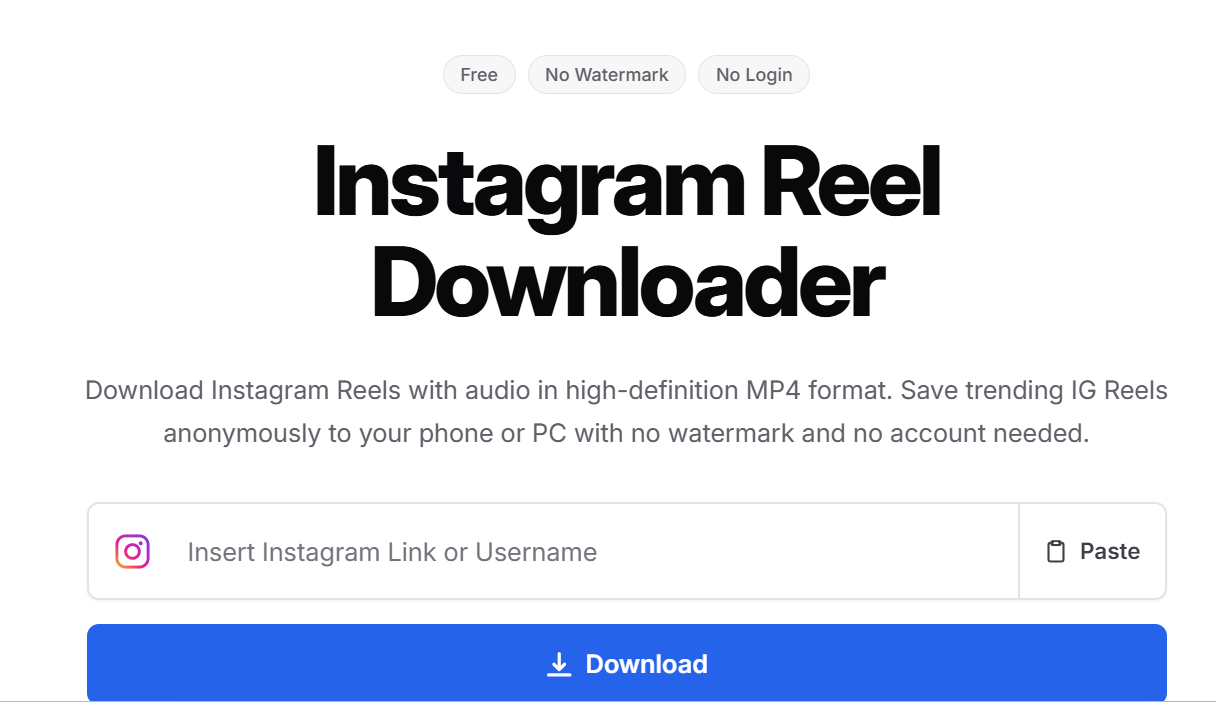
Instagram Reels offer everything from cooking tutorials and fitness routines to travel inspiration and editing techniques. Saving useful videos makes it easier to watch them offline, study creative ideas, or preserve content for authorized projects.
Although Instagram provides built-in download options for certain Reels, availability depends on creator settings and content restrictions. Browser-based downloaders offer another approach for publicly accessible videos.
This guide compares five specific options: Grabfy, SnapInsta, SaveInsta, FastDL, and Instagram’s built-in download feature. It explains their capabilities, limitations, and practical differences.
What Makes a Good Instagram Reels Downloader?
Choosing a downloader involves more than finding a website with a download button. The best tools make it easy to save the video for offline viewing while keeping the highest quality and, when available, original audio.
We looked at speed, ease of use, output quality, and whether the tool works without sign-up or extra steps. We also prioritized browser-based options that support public content, since these tools generally do not work with private accounts.
Video Quality and Watermarks
Instagram Reels commonly use a vertical 9:16 format, with 1080 × 1920 pixels being a standard HD resolution.
However, downloaded quality depends on the media Instagram makes available. Some tools retrieve videos without adding a download watermark, but existing logos or embedded text may remain.
Licensed audio may also be missing from certain downloads.
Ease of Use and Compatibility
A convenient downloader should support a straightforward process: copy the public Reel URL, paste it into the tool, and save the available file.
Browser-based services are particularly useful across Android, iPhone, Windows, and Mac because they generally require no additional application.
Privacy and Security
Public Instagram downloaders should not require your Instagram password or authentication codes, and browser-based services usually require no app installation.
Avoid suspicious redirects, misleading download buttons, and unnecessary software installations. No-login access is useful across multiple platforms, whether you use a phone or a desktop browser, but it does not automatically guarantee website security. When a tool asks you to copy the reel link or video link and paste it into the input field, it should work directly in the browser instead of pushing a separate app.
Top 5 Instagram Reels Downloaders and Methods in 2026
1. Grabfy: Featured Browser-Based Instagram Downloader
Grabfy is a practical choice for users who want to download publicly accessible Instagram Reels through a browser without installing additional software.
Unlike workflows requiring separate applications, Grabfy’s Instagram downloader provides a convenient starting point for supported Instagram media, including Reels, videos, photos, Stories, and carousels.
Its link-based approach is particularly useful for everyday users who switch between smartphones and computers or regularly organize authorized creative references.
How Grabfy works:
- Open Instagram and locate a public Reel.
- Tap Share and select Copy Link.
- Open Grabfy in your browser.
- Paste the copied URL into the download field.
- Select Download and save the available video.
Grabfy does not require Instagram credentials for supported public links. Downloaded files generally appear in your device’s Downloads folder or media library.
Key features: Browser-based access, support for public Instagram media, no separate installation, and a straightforward downloading process.
Limitations: Private Reels remain restricted. Video resolution and download availability depend on the accessible source.
Best for: Users seeking a convenient, cross-device downloader for public Instagram content.
2. SnapInsta: Instagram Media Downloader
SnapInsta is a web-based downloading service supporting publicly accessible Instagram Reels, photos, and videos.
Users copy an Instagram URL, paste it into the website, and follow the available download instructions.
Its browser-based workflow suits people who prefer downloading different Instagram media formats without installing dedicated applications.
Key features: URL-based downloading, multiple media formats, and mobile and desktop browser access.
Limitations: Download quality and availability vary. Users should watch for advertisements and unexpected redirects.
Best for: People seeking an alternative browser-based Instagram media downloader.
3. SaveInsta: Reels, Photos, and Stories Downloader
SaveInsta focuses on downloading supported Instagram content through shared links, including Reels, photographs, Stories, and carousel posts.
Its process involves copying a public media URL, pasting it into the website, and selecting the available download option.
The service may appeal to users who regularly save different kinds of Instagram posts for personal reference.
Key features: Browser-based access, multiple supported content formats, and straightforward link submission.
Limitations: Some links may fail because content is unavailable or unsupported. Avoid unrelated extension or installation prompts.
Best for: Users who want a general Instagram downloader rather than a Reel-only tool.
4. FastDL: Instagram Video and Reels Downloader
FastDL provides browser-based downloading for supported public Instagram videos, Reels, photographs, and carousel posts.
Users submit an Instagram link and save the available media through the website.
Its dedicated content options may be useful for people who regularly work with several Instagram formats.
Key features: Public media downloading, mobile browser compatibility, and no dedicated desktop application.
Limitations: Removed, private, or restricted posts may be inaccessible. Users should verify that they are visiting the intended website.
Best for: People seeking another general-purpose Instagram downloader.
5. Instagram’s Built-In Reel Download Feature
Instagram offers an official download option for eligible public Reels.
Open the Reel, tap Share, and select Download when available. The file is saved through Instagram rather than an external service.
Instagram also provides a Save feature, but bookmarking a Reel does not download a separate video file.
Key features: Official functionality, built-in bookmarking, and direct downloads for eligible videos.
Limitations: Creators can disable downloads. Saved files may contain attribution watermarks, and licensed audio may be excluded.
Best for: Users who prefer Instagram’s official tools when downloading is permitted.
Quick Comparison of Instagram Reels Downloaders
Grabfy, SnapInsta, SaveInsta, and FastDL share a browser-based approach using public Instagram URLs.
All four provide options for supported media without requiring a separate desktop application. Their differences involve interfaces, available formats, and how reliably they process particular links.
Instagram’s built-in feature operates within the official application and follows creator download settings.
For everyday users seeking one starting point for different public Instagram formats, Grabfy stands out through its dedicated downloading options and straightforward browser workflow.
How to Choose the Right Instagram Reel Downloader
Choose Based on Your Device
Browser-based tools are convenient when switching between Android, iPhone, Windows, and Mac.
On iPhone, downloads may appear in Files. If direct downloads are unavailable, Instagram Reels can be saved on iPhone with screen recording as a fallback method. Android users can check Downloads or Gallery, while desktop browsers typically save files in a designated folder.
Choose Based on Content Type
Some users save only a short video clip, usually from public content, while others save regular videos, Stories, photos, and carousels.
For people primarily interested in Reel downloads, Grabfy offers a dedicated browser-based option for supported public Instagram Reels.
This focused tool is useful when you want to retrieve a particular Reel without navigating unrelated downloading features.
Choose Based on Video Quality
Look for the highest available resolution, but remember that Instagram processes uploaded videos.
No downloader can guarantee access to the creator’s untouched original file or restore details lost through compression.
Choose Based on Privacy
Avoid websites requesting passwords, authentication codes, or unnecessary permissions.
Review download prompts carefully and use services that clearly explain their limitations.
Common Problems When Downloading Instagram Reels
Why Isn’t My Reel Downloading?
The reel link or video link may be incomplete, or the Reel may have been deleted, restricted, or made private.
Check the original URL and confirm that the content remains publicly accessible. A weak internet connection can also interrupt processing.
Why Does the Downloaded Reel Have No Sound?
Licensed music or unavailable audio tracks can affect downloads, while reels that use original audio are more likely to keep sound when available.
Check the original video and try opening the downloaded file in another compatible player.
Why Is Video Quality Lower Than Expected?
Instagram compression and source resolution influence the resulting file.
Downloading an already compressed video cannot restore missing visual details.
Frequently Asked Questions
Can I Download Instagram Reels Without a Watermark?
Some third-party tools provide files without adding an Instagram download watermark. Existing creator branding may remain.
Are Instagram Reels Downloaders Free?
Many browser-based services are completely free, although advertisements, features, and usage restrictions can vary, and unlimited downloads are not guaranteed on every tool.
Can I Download Private Instagram Reels?
Public-link downloaders cannot legitimately bypass private account restrictions.
Is It Legal to Repost Downloaded Reels?
Downloading does not automatically grant permission to republish. Follow copyright laws, and keep downloads for personal use unless you have permission for broader reuse. If you repost someone else’s content, get permission, credit the original creator, and provide proper credit.
Final Thoughts
Grabfy, SnapInsta, SaveInsta, FastDL, and Instagram’s native download feature offer practical options for saving eligible Instagram Reels.
Grabfy is particularly useful for users who prefer browser-based downloading across devices and want access to dedicated tools for different public Instagram formats.
Choose according to content type, video quality, device compatibility, and privacy. Always respect creator permissions and copyright laws when saving or reusing videos, especially for personal use unless broader rights are granted.

Brands are assessing how they appear in AI-generated answers alongside conventional search results. The practical question is how to measure that visibility and decide which improvements are worth making.
Conventional SEO still matters, but search rankings and AI citations should be treated as separate outcomes. Technical accessibility, useful content and brand authority may support discoverability, while each AI platform should be measured independently.
NP Digital offers AI-search work alongside SEO. For a combined engagement, ask how the team coordinates technical changes, content and measurement.
Other SEO agencies have taken slightly different approaches to the AI discoverability problem, with the likes of Varn taking a technical consulting-based approach and Found more focused on performance-led AI search.
Brands should compare how each agency defines AI-search work, which platforms it covers, what evidence supports its methods and how results are reported.
AI-first SEO consultancies at a glance
| Agency | Best suited for | Key strengths |
| NP Digital | Enterprise AI-search integration | SEO, AI search, content, PR, analytics, paid media |
| Found | Performance-led AI search | SEO, paid media, data, AI visibility |
| The SEO Works | Practical AI-search adoption | SEO, digital PR, PPC, AI visibility |
| Varn | Technical AI-search consulting | Technical SEO, content, analytics, GEO/AEO |
| Blue Array | Specialist organic and GEO | SEO, GEO, digital PR, training |
What separates credible AI-search work from a new label
To compare the consultancies, we looked at five practical areas:
• Search foundation: Does the agency have the technical SEO depth required to build brand trust and authority?
• Measurement: Does it have a way to track citations and visibility, target prompts and optimise content to answer the most valid questions across different AI models?
• Content and entity strategy: Does it have a strong content team capable of getting the brand’s message and value across?
• Authority building: How does it approach authority-building, given the differences between traditional SEO and AI search signals?
• Commercial integration: Is it able to integrate AI SEO with broader marketing channels, such as SEO, paid media and social?
1. NP Digital: enterprise AI-search integration
NP Digital treats GEO as an extension of traditional SEO and combines it with content, digital PR, paid media and analytics. Buyers should ask how the team separates conventional search metrics from AI mentions, citations and referral traffic.
For a combined engagement, ask which technical and content changes are proposed, how third-party authority work is used and what evidence links those activities to measured changes in AI visibility. No schema or technical change should be presented as a guarantee of citation.
The case for NP Digital
This approach may suit brands that want conventional search and AI-search visibility managed within one programme. Expected gains in recommendations or citations should be treated as outcomes to measure rather than guaranteed effects.
2. Found: performance-led AI search

Found treats GEO and AI search platforms as an equal part of a broader search strategy it terms “Everysearch,” which targets multiple search surfaces at once. The theory is that strength in one channel can enhance visibility across the others, so it makes sense to focus on multi-disciplinary execution.
Found describes tooling and methods for monitoring brand visibility across multiple search surfaces. Buyers should verify the current platform capabilities, sampling method and how the agency distinguishes correlation from campaign impact.
The case for Found
Found may suit brands that want search visibility measured across a wider set of discovery platforms. The relative importance of those platforms will vary by audience and market.
3. The SEO Works: practical search evolution
The SEO Works treats AI-search visibility as an extension of conventional SEO. Buyers should ask which technical and content checks it performs, how it studies citation patterns and what evidence supports its recommendations.
Its approach should be judged on the quality of the work and the measurement provided. No agency can guarantee that an AI system will treat a brand as authoritative or cite it.
The case for The SEO Works
The SEO Works may suit brands that want to develop AI-search visibility alongside long-term SEO work.
4. Varn: technical AI-search consulting
Varn puts a lot less emphasis on on-page SEO, without ignoring this entirely. Rather than just optimising for specific keywords, it begins with a brand audit that helps to unearth current chatbot sentiment and map out the citation gaps it needs to target.
Varn can use visibility analysis to inform content, technical and authority-building work. Buyers should ask how those interventions are tested and avoid treating structured data or content changes as a guarantee of AI mentions.
The case for Varn
Varn may suit brands that want a technical consulting approach to AI share-of-voice and visibility diagnostics.
5. Blue Array: specialist organic and GEO
Blue Array treats AI search very differently to the other agencies on this list. It’s the creator of a proprietary AI brand index platform that synthesises thousands of prompts to generate a clear understanding of a brand’s current chatbot positioning compared with its competitors.
Blue Array uses its CLEAR framework, which stands for clarity, logic, expertise, authority and repetition, as part of its approach to content and brand visibility. Any improvement in AI mentions should be measured rather than assumed.
The case for Blue Array
Blue Array may suit brands that want specialist organic-search and AI-visibility work based on structured measurement and authority building.
Choose by how AI search fits into the wider programme
• NP Digital: Offers an AI search programme that’s tightly integrated with a broader marketing funnel and enterprise-scale execution.
• Found: Provides AI search expertise within a wider cross-platform search visibility programme.
• The SEO Works: Treats generative AI search as an extension of SEO and works towards long-term brand authority building.
• Varn: Helps brands to build long-term AI search visibility through technical backend overhauls and consulting expertise.
• Blue Array: An SEO specialist that pioneers a research-based approach to understand AI signal drivers.
What UK brands ask about AI-first SEO
Is AI SEO actually different from traditional SEO?
SEO and AI-search visibility can overlap in areas such as technical accessibility, content quality and brand authority, but they are not the same system. A high search ranking does not guarantee an AI citation, so each platform should be measured separately.
What should brands measure in AI search?
The most critical signals are citations, mentions and recommendations, but there’s more to it than that. Context is also crucial, which means investigating which queries trigger brand mentions and how your competitors are viewed.
Does a brand need a dedicated GEO consultancy?
Not always. A specialist consultancy may suit a focused project, while an existing SEO partner may be able to cover both areas. Compare the proposed scope, evidence and reporting before deciding.
What this shortlist really says
Traditional SEO remains relevant to discoverability, but a high search ranking does not guarantee an AI citation. Assess each platform separately and track mentions, citations and referral visits as distinct outcomes.
NP Digital is a strong option for brands that want GEO integrated with SEO, content, paid media and digital PR. Other UK agencies offer similar combinations with different specialist emphases, so buyers should compare scope, evidence and reporting.
Brands should compare each agency’s GEO model, how it integrates with existing marketing work and how results will be measured before deciding which one fits the brief.


Choosing a logo concept feels like the end of a design project, but it is really the point at which other people begin using the result. A teammate will place it in a presentation, a contractor will add it to a web page, and a partner may need it for a joint announcement. If each person makes small independent adjustments, the identity drifts quickly. A short brand guideline turns an AI Logo Generator concept into a set of choices others can repeat. It does not need to be a large manual. It needs to explain which version is approved, where it works, and what to do when the usual layout does not fit. An AI Logo Creator can support exploration, but the guideline should record decisions made by the team.
Select a Master Version
Begin with the concept that survived review in realistic settings, not simply the most polished preview. Identify its essential features: the relationship between name and symbol, the basic proportions, the lettering character, and the main color relationship. Ask what could change without breaking recognition and what must stay fixed. An AI Logo Generator may offer several close variants; choose one as the master rather than presenting all of them as equally approved. A reader should be able to identify the correct version at a glance.
Save the master against a plain background and a representative dark background. Check that thin strokes remain visible and small spaces do not close up at normal sizes. If a version fails, do not quietly adjust it in each new application. Return to the source concept and make a deliberate refinement. The AI Logo Generator output is an exploration artifact until the proportions and usage rules have been settled. Your guideline should make that distinction clear. Label earlier AI Logo Generator variants as drafts so they are not reused by accident.
Record what makes the mark recognizable
Write one short sentence for each defining feature. For example, the icon always sits to the left of the name in the primary horizontal version; the accent color appears in one shape only; or the lettering keeps a specific spacing rhythm. These are observations a colleague can use, not abstract words such as bold or modern. Add a small approved image beside the sentences. If you cannot explain why two AI Logo Generator variants belong to the same family, they may not be ready to appear together in public materials.
Define Only the Variants You Need
Most small teams need fewer logo versions than they expect. A practical starter set might include a primary horizontal version, a compact version for square spaces, and a one-color version for constrained production. Each must have a clear use case. Do not add a fresh icon, slogan lockup, or decorative treatment merely because an AI Logo Generator supplied an appealing example. More options create more decisions for people who were not part of the original review.
For every approved variant, show a real placement and the minimum size at which the name remains readable. Specify whether the compact version may stand alone or needs the brand name nearby. If a one-color version is needed, check that its shapes remain distinct without relying on gradients or subtle color changes. An AI Logo Generator can help propose alternatives, but the team should inspect the actual result at its intended size before calling it approved. A guideline that says only “use the best-looking version” offers no guidance at all. Name the approved AI Logo Generator variant directly under each example.
Show the common mistakes
Include a few concise “avoid” examples: stretching the mark, changing the lettering, placing it over a busy image, or recoloring one element independently. Choose mistakes that people are likely to make in your own workflow. There is no need to fill a page with every imaginable misuse. If an AI Logo Generator concept relies on careful spacing, show one example where cramped placement harms it. A visual comparison will be easier to follow than a long warning paragraph.
Give Users a Small Decision Path
A useful guideline answers the questions that arise during a deadline. Start with the primary version. If it does not fit, try the approved compact version. If color reproduction is unreliable, use the one-color version. If neither works, ask the owner of the identity before making a new mark. This simple decision path protects the design without requiring every teammate to become a designer. It also prevents an AI Logo Generator session from becoming the default answer to every layout problem.
Name where the approved assets live and use filenames that distinguish format, color, and background. Include a preview so someone can confirm they selected the intended file. If the source is still a flat image, do not label it as an editable vector file. Request the needed production format through the appropriate workflow before sending it to a printer or developer. The guideline should describe assets that actually exist. An AI Logo Generator concept can be a strong starting point while still requiring careful production preparation. State which AI Logo Generator files are approved for everyday use.
Assign one person to answer exceptions and keep a small change log. When a new touchpoint appears, test whether the existing versions cover it before adding another variant. If the team updates a color or refines the mark, replace the approved examples in one place and archive obsolete files. Otherwise, old attachments will continue circulating. A short, current guide is more useful than a comprehensive file nobody trusts.
Keep the Guide Connected to the Brand
Finish with a brief explanation of the identity choice: the audience it serves, the impression it should create, and the feature that makes it recognizable. This connects technical rules to the decision behind them. It helps a future teammate judge whether a proposed application supports the brand or merely follows the measurements. When the team revisits an AI Logo Generator concept, it can compare the new direction with the same intent rather than starting from taste alone. That keeps later AI Logo Generator exploration connected to the original decision.
The broader AI Logo Creator workflow may continue as the business grows, but approved uses should remain easy to find. A starter guideline can fit on a few pages if it shows the master mark, necessary variants, everyday placements, and a clear path for exceptions. Its value lies in turning one promising AI Logo Generator result into an identity that different people can use with the same care.

Choosing a coreless induction furnace without confusing shell material and melt duty

Choosing an optical transceiver for a network upgrade that fits the building

Why Your Game Is Losing Players After the First Minute

Who Is Shameera? All You Need To Know About Charli XCX’s Mother

Who Is Gulliver Flynn Oldman? The Untold Story of Sir Gary Oldman’s Son

Meet Rosemary Turner: The Mother of Actor Callum Turner
-
Biographies8 months ago
Who Is Shameera? All You Need To Know About Charli XCX’s Mother
-
Biographies8 months ago
Who Is Gulliver Flynn Oldman? The Untold Story of Sir Gary Oldman’s Son
-
Biographies8 months ago
Meet Rosemary Turner: The Mother of Actor Callum Turner
-

 Biographies6 months ago
Who is Alexandra James? Inside The Life of Jeremy Clarkson’s Former Partner
-
 Biographies8 months ago
Who is Todd McRae? Meet Tate McRae’s Father
-
 Biographies8 months ago
Who Is Daniel Mara? The Untold Story of Kate Mara’s Private Sibling
-
 Celebrity9 months ago
Who Is Peter Hernandez? The Real Story of Bruno Mars’ Father
-
 Biographies8 months ago
Who Was Adrian Mayers? The Untold Life of A$AP Rocky’s Late Father