
Ai & Tool
Machine Learning Trends in 2026: What Enterprises Need to Know


Enterprise AI has passed the point of “interesting experiment.” In 2026, machine learning is woven into supply chains, credit scoring, customer operations, and software pipelines. But the landscape is moving fast — and not every trend deserves your budget cycle. Here’s an honest look at what’s actually shifting and why it matters to the people making real decisions.
From Models to Systems: The Real Shift Happening Now
There’s a framing problem in a lot of enterprise AI conversations. Companies still talk about “adopting AI” as if they’re installing a piece of software. The more accurate picture in 2026 is that machine learning is becoming a layer of operational infrastructure — something closer to how you think about a database or a messaging queue than a standalone product.
That shift has practical consequences. It changes procurement, governance, and the kind of engineers you need. Businesses that treat ML as a product you buy tend to hit walls around 18 months in. Those that treat it as infrastructure — something you design, maintain, and iterate on — are the ones seeing compounding returns.
If your organization is still exploring where ML fits, working with a dedicated machine learning development service early in the process can help you avoid the most common architecture mistakes before they become expensive to fix.
Six Trends Worth Tracking in 2026
• Agentic AI entering production — ML systems that plan, act, and self-correct without constant human handoffs. Moving from pilots into real workflows.
• Small language models on the rise — Task-specific models with lower latency and cost are replacing general-purpose LLMs for many enterprise use cases.
• MLOps maturity as a differentiator — The gap between teams that can reliably deploy and monitor models versus those that can’t is widening fast.
• Multimodal reasoning in enterprise tools — Models that process text, images, and structured data together are unlocking new workflows in logistics and QA.
• Governance moving upstream — Compliance and risk teams are involved at the design stage, not just auditing after deployment.
• Edge ML in industrial settings — Inference running on-device in factories, vehicles, and field equipment — latency and data privacy driving adoption.
Agentic AI: What “Autonomous” Actually Means in Practice
Agentic AI is the term getting the most airtime right now, and for good reason. The core idea is that instead of a model returning an output and waiting for a human to act on it, the system can execute multi-step tasks on its own — browsing data sources, calling APIs, making decisions based on intermediate results, and correcting course if something doesn’t work.
This is not science fiction. Sales teams are already using agentic pipelines that research leads, draft personalized outreach, and update CRM records — all without manual intervention between steps. Supply chain teams are using similar setups to flag anomalies, query upstream suppliers, and surface options for human review.
A note on expectations: Agentic systems fail in interesting ways. When a model is just answering a question, a bad output is obvious. When it’s executing a ten-step workflow, errors compound quietly. Robust observability and defined escalation paths aren’t optional in production agentic systems — they’re load-bearing.
The Small Model Correction
A year ago, the instinct was to reach for the largest, most capable model available. That instinct is being revised. Large frontier models are expensive to run at inference scale, they’re slower, and for many enterprise tasks they’re overkill.
What’s happening instead is a move toward fine-tuned smaller models — purpose-built for specific domains like legal document review, equipment maintenance logs, or financial data extraction. These run faster, cost less per query, and can be deployed closer to the data (on-premise or at the edge) without the privacy exposure of sending sensitive records to third-party APIs.
The engineering work here is non-trivial. You need quality training data, a reliable fine-tuning pipeline, and evaluation benchmarks that reflect the actual task. But for organizations with well-defined, high-volume ML use cases, the ROI case is becoming hard to argue against.
Governance Is No Longer an Afterthought
Regulators in the EU, UK, and increasingly in North American markets are establishing requirements around algorithmic accountability, explainability, and bias auditing. This isn’t just a compliance checkbox — it’s shaping how enterprises structure their ML teams and how they procure ML tools.
The practical shift is that governance is moving upstream. Instead of auditing models after deployment, leading organizations are building explainability and audit trails into the development process itself. Model cards, data lineage tracking, and structured documentation of decision logic are becoming standard parts of the handoff between a data science team and a production system.
“The question isn’t whether your model is accurate. It’s whether you can explain its decisions to a regulator, a customer, or your own board — in terms they can evaluate.”
MLOps: The Unsexy Factor That Separates Winners from Stragglers
It’s not glamorous, but operational discipline around machine learning is probably the clearest predictor of enterprise ML success in 2026. The gap between teams that can reliably train, test, version, deploy, monitor, and retrain models versus those building one-off Jupyter notebooks that live on someone’s laptop is enormous — and it’s widening.
Good MLOps means: reproducible training pipelines, automated model validation, canary deployments, data drift monitoring, and clear rollback procedures. It also means aligning the ML lifecycle with the same change management and incident response practices your engineering teams already have. Models that silently degrade when input distributions shift are a liability, not an asset.
Building Practical AI Solutions for Operations
Implementing AI in operations requires more than deploying models. It involves redesigning how decisions flow through the organization. A practical approach typically follows five steps:
1. Identifying operational bottlenecks. Understand where inefficiencies exist — forecasting errors, process delays, or resource misallocation.
2. Integrating data systems. Consolidate data from multiple sources into a unified architecture so AI models work with consistent inputs.
3. Developing specialized AI models. Different problems require different models. Demand forecasting, route optimization, and inventory balancing each need tailored approaches.
4. Embedding AI into operations. Models are integrated into existing workflows to support real-time decision-making rather than operate in isolation.
5. Continuous optimization. AI systems improve over time. As new data becomes available, models are retrained to maintain accuracy and adapt to changing conditions.
What This Means for Your 2026 Roadmap
If you’re mapping out ML priorities for the next 12 months, a few things are worth internalizing. First, invest in infrastructure before capabilities — a robust MLOps foundation lets you move faster on all subsequent model development. Second, take the small model trend seriously; audit your existing LLM spend and ask whether a fine-tuned specialized model would do the job at lower cost.
Third, get governance involved early — not as a blocker, but as a design partner. The organizations that are navigating regulatory scrutiny most smoothly are the ones where legal and risk teams understand the technology and the technology teams understand the regulatory landscape.
The decisions you make now about data architecture, model ownership, and tooling will shape what’s possible in 2027 and beyond.
Final Thoughts
The trends above aren’t equally relevant to every organization. A manufacturer optimizing quality control on an assembly line has different priorities than a financial services firm building credit models. The common thread is this: machine learning in 2026 rewards deliberate architecture and disciplined operations far more than it rewards chasing the latest model release.
As global enterprises continue to grow in complexity, the companies that succeed will be those that can turn uncertainty into structured, data-driven action. AI is not removing complexity — but it is finally making it manageable.

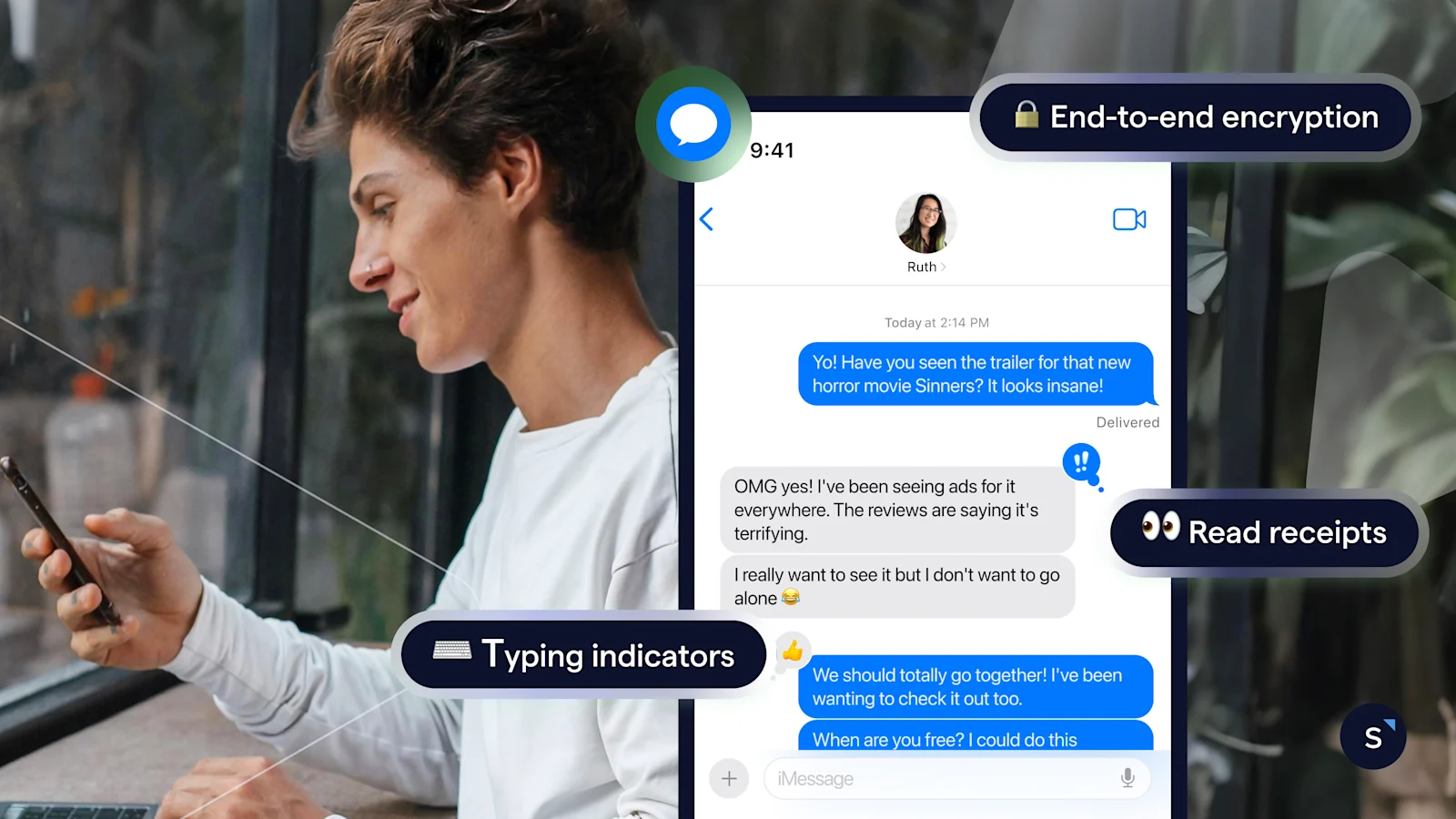
Text marketing is changing, and businesses are discovering that sending the same promotional message to thousands of customers isn’t always the smartest approach. In 2026, personalized SMS marketing is attracting greater attention as companies look for ways to improve engagement, strengthen customer relationships, and make their advertising budgets work harder. Consumers receive countless notifications throughout the day, so a generic sales announcement can easily get lost in the noise. A message that reflects someone’s interests or recent purchases, however, has a better chance of feeling useful. This shift toward more relevant communication is influencing how businesses plan, deliver, and measure their text marketing campaigns.
Consumer Expectations Are Driving Personalization
Recent industry research suggests customers increasingly appreciate messages that reflect their individual needs. The 2026 Consumer Texting Behavior Report found that 51% of surveyed consumers valued discounts based on their interests, while 45% appreciated reminders connected to appointments, purchases, or other activities. These findings highlight an important distinction between personalization and simply adding someone’s name to a promotional message. Customers want information that fits their circumstances. A pet owner might appreciate a reminder about regularly purchased supplies, while a restaurant customer could welcome an offer related to a favorite menu item. The challenge for marketers is delivering that relevance without making customers feel their personal information is being used excessively.
AI Is Making Targeted Campaigns More Accessible
Artificial intelligence is playing a growing role in how businesses approach personalized messaging. Modern marketing tools can analyze customer preferences, purchase histories, and previous interactions to help identify useful audience segments. This allows businesses to develop targeted campaigns without manually reviewing every customer record. Salesforce’s 2026 State of Marketing report found that 75% of surveyed marketers were using AI to address personalization demands, although many continued running generic campaigns. That gap suggests technology alone isn’t enough. Businesses still need accurate customer information, thoughtful messaging strategies, and clear objectives. AI can help identify opportunities, but understanding what customers genuinely value remains a human responsibility.
Behavioral Triggers Are Changing Message Timing
Personalization isn’t only about what a message says. Timing can be just as important. Businesses are increasingly using customer actions to determine when communications should arrive. Someone who books an appointment might receive a confirmation immediately, followed by a reminder closer to the scheduled date. An online shopper who abandons a cart could receive a helpful follow-up, provided they’ve agreed to promotional messaging. These behavioral triggers allow companies to communicate when information is most relevant. Rather than relying exclusively on scheduled promotional blasts, marketers can develop campaigns around actual customer activity. The result can be a more natural communication experience that feels connected to everyday needs.
Smaller Businesses Are Finding New Opportunities
Personalized text marketing isn’t limited to national retailers with enormous advertising budgets. Smaller businesses can use customer preferences and simple segmentation to make their campaigns more effective. A neighborhood salon might notify clients when it’s time to schedule another appointment, while a fitness studio could share class openings based on previous attendance. Choosing an sms marketing platform that supports contact groups, automated workflows, and performance reporting can make these efforts easier to manage. The important part is starting with useful information rather than complicated technology. Even a modest campaign can become more relevant when businesses understand why customers subscribed in the first place.
Privacy Is Becoming Part of the Conversation
As personalization becomes more sophisticated, businesses must pay closer attention to customer trust. Consumers may appreciate relevant recommendations, but that doesn’t mean they’re comfortable with unlimited data collection. Marketers should clearly explain subscription expectations, respect consent requirements, and provide convenient ways to unsubscribe. Message frequency deserves attention as well. Even a personalized offer can become irritating when it arrives too often. Companies should regularly review customer feedback, engagement patterns, and unsubscribe rates to understand whether their communication remains welcome. Responsible personalization means using information to improve the customer experience, not simply to increase promotional opportunities.
Measuring Results Beyond Message Opens
Businesses investing in personalized SMS campaigns need reliable ways to evaluate performance. Delivery rates and responses provide useful information, but purchases, appointment bookings, repeat visits, and customer retention offer a clearer picture of business impact. Marketers can compare different audience segments, test promotional approaches, and evaluate which messages produce meaningful results. It’s also important to account for campaign expenses and customer opt-outs. A campaign that generates immediate sales but drives away loyal subscribers may not provide lasting value.
A More Personal Future for Business Texting
The growing interest in personalized SMS marketing reflects a broader change in customer communication. People want businesses to recognize their preferences while respecting their time and privacy. For marketers, that means moving away from unnecessary mass messaging and focusing on relevant, timely interactions. AI and automation can support these efforts, but successful campaigns still require careful planning and genuine customer understanding. As personalization continues shaping marketing strategies, businesses that prioritize usefulness over message volume will have a stronger foundation for long-term engagement.
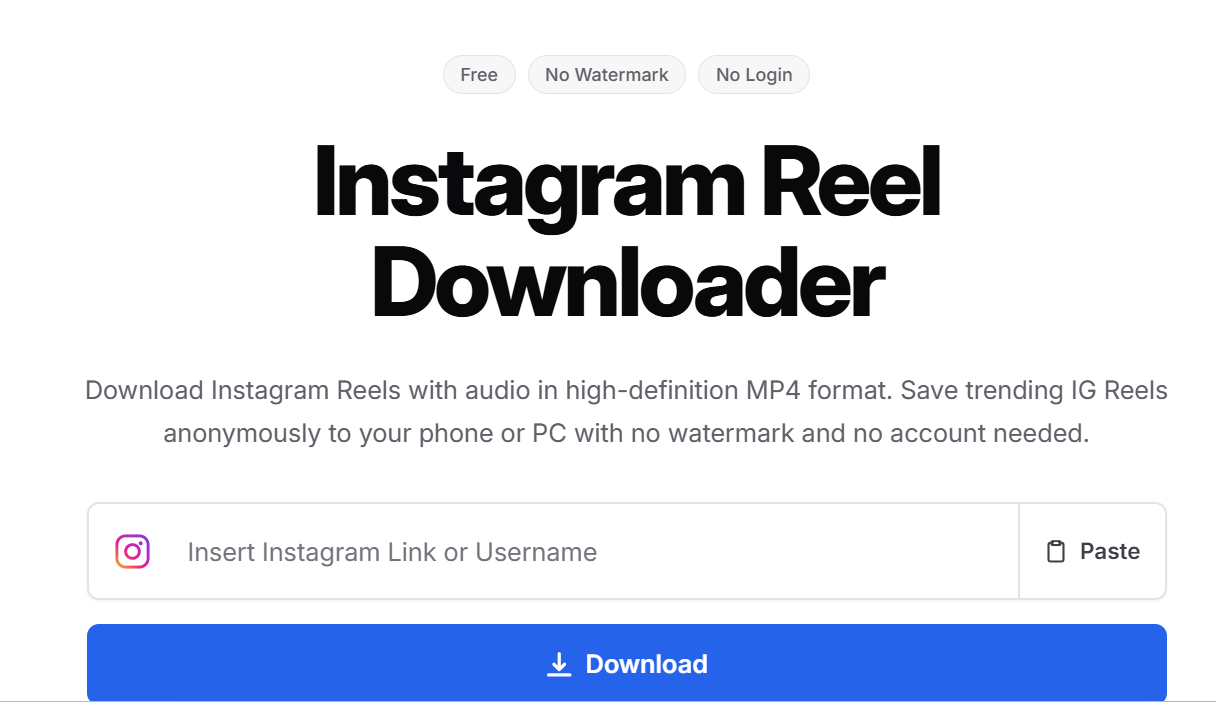
Instagram Reels offer everything from cooking tutorials and fitness routines to travel inspiration and editing techniques. Saving useful videos makes it easier to watch them offline, study creative ideas, or preserve content for authorized projects.
Although Instagram provides built-in download options for certain Reels, availability depends on creator settings and content restrictions. Browser-based downloaders offer another approach for publicly accessible videos.
This guide compares five specific options: Grabfy, SnapInsta, SaveInsta, FastDL, and Instagram’s built-in download feature. It explains their capabilities, limitations, and practical differences.
What Makes a Good Instagram Reels Downloader?
Choosing a downloader involves more than finding a website with a download button. The best tools make it easy to save the video for offline viewing while keeping the highest quality and, when available, original audio.
We looked at speed, ease of use, output quality, and whether the tool works without sign-up or extra steps. We also prioritized browser-based options that support public content, since these tools generally do not work with private accounts.
Video Quality and Watermarks
Instagram Reels commonly use a vertical 9:16 format, with 1080 × 1920 pixels being a standard HD resolution.
However, downloaded quality depends on the media Instagram makes available. Some tools retrieve videos without adding a download watermark, but existing logos or embedded text may remain.
Licensed audio may also be missing from certain downloads.
Ease of Use and Compatibility
A convenient downloader should support a straightforward process: copy the public Reel URL, paste it into the tool, and save the available file.
Browser-based services are particularly useful across Android, iPhone, Windows, and Mac because they generally require no additional application.
Privacy and Security
Public Instagram downloaders should not require your Instagram password or authentication codes, and browser-based services usually require no app installation.
Avoid suspicious redirects, misleading download buttons, and unnecessary software installations. No-login access is useful across multiple platforms, whether you use a phone or a desktop browser, but it does not automatically guarantee website security. When a tool asks you to copy the reel link or video link and paste it into the input field, it should work directly in the browser instead of pushing a separate app.
Top 5 Instagram Reels Downloaders and Methods in 2026
1. Grabfy: Featured Browser-Based Instagram Downloader
Grabfy is a practical choice for users who want to download publicly accessible Instagram Reels through a browser without installing additional software.
Unlike workflows requiring separate applications, Grabfy’s Instagram downloader provides a convenient starting point for supported Instagram media, including Reels, videos, photos, Stories, and carousels.
Its link-based approach is particularly useful for everyday users who switch between smartphones and computers or regularly organize authorized creative references.
How Grabfy works:
- Open Instagram and locate a public Reel.
- Tap Share and select Copy Link.
- Open Grabfy in your browser.
- Paste the copied URL into the download field.
- Select Download and save the available video.
Grabfy does not require Instagram credentials for supported public links. Downloaded files generally appear in your device’s Downloads folder or media library.
Key features: Browser-based access, support for public Instagram media, no separate installation, and a straightforward downloading process.
Limitations: Private Reels remain restricted. Video resolution and download availability depend on the accessible source.
Best for: Users seeking a convenient, cross-device downloader for public Instagram content.
2. SnapInsta: Instagram Media Downloader
SnapInsta is a web-based downloading service supporting publicly accessible Instagram Reels, photos, and videos.
Users copy an Instagram URL, paste it into the website, and follow the available download instructions.
Its browser-based workflow suits people who prefer downloading different Instagram media formats without installing dedicated applications.
Key features: URL-based downloading, multiple media formats, and mobile and desktop browser access.
Limitations: Download quality and availability vary. Users should watch for advertisements and unexpected redirects.
Best for: People seeking an alternative browser-based Instagram media downloader.
3. SaveInsta: Reels, Photos, and Stories Downloader
SaveInsta focuses on downloading supported Instagram content through shared links, including Reels, photographs, Stories, and carousel posts.
Its process involves copying a public media URL, pasting it into the website, and selecting the available download option.
The service may appeal to users who regularly save different kinds of Instagram posts for personal reference.
Key features: Browser-based access, multiple supported content formats, and straightforward link submission.
Limitations: Some links may fail because content is unavailable or unsupported. Avoid unrelated extension or installation prompts.
Best for: Users who want a general Instagram downloader rather than a Reel-only tool.
4. FastDL: Instagram Video and Reels Downloader
FastDL provides browser-based downloading for supported public Instagram videos, Reels, photographs, and carousel posts.
Users submit an Instagram link and save the available media through the website.
Its dedicated content options may be useful for people who regularly work with several Instagram formats.
Key features: Public media downloading, mobile browser compatibility, and no dedicated desktop application.
Limitations: Removed, private, or restricted posts may be inaccessible. Users should verify that they are visiting the intended website.
Best for: People seeking another general-purpose Instagram downloader.
5. Instagram’s Built-In Reel Download Feature
Instagram offers an official download option for eligible public Reels.
Open the Reel, tap Share, and select Download when available. The file is saved through Instagram rather than an external service.
Instagram also provides a Save feature, but bookmarking a Reel does not download a separate video file.
Key features: Official functionality, built-in bookmarking, and direct downloads for eligible videos.
Limitations: Creators can disable downloads. Saved files may contain attribution watermarks, and licensed audio may be excluded.
Best for: Users who prefer Instagram’s official tools when downloading is permitted.
Quick Comparison of Instagram Reels Downloaders
Grabfy, SnapInsta, SaveInsta, and FastDL share a browser-based approach using public Instagram URLs.
All four provide options for supported media without requiring a separate desktop application. Their differences involve interfaces, available formats, and how reliably they process particular links.
Instagram’s built-in feature operates within the official application and follows creator download settings.
For everyday users seeking one starting point for different public Instagram formats, Grabfy stands out through its dedicated downloading options and straightforward browser workflow.
How to Choose the Right Instagram Reel Downloader
Choose Based on Your Device
Browser-based tools are convenient when switching between Android, iPhone, Windows, and Mac.
On iPhone, downloads may appear in Files. If direct downloads are unavailable, Instagram Reels can be saved on iPhone with screen recording as a fallback method. Android users can check Downloads or Gallery, while desktop browsers typically save files in a designated folder.
Choose Based on Content Type
Some users save only a short video clip, usually from public content, while others save regular videos, Stories, photos, and carousels.
For people primarily interested in Reel downloads, Grabfy offers a dedicated browser-based option for supported public Instagram Reels.
This focused tool is useful when you want to retrieve a particular Reel without navigating unrelated downloading features.
Choose Based on Video Quality
Look for the highest available resolution, but remember that Instagram processes uploaded videos.
No downloader can guarantee access to the creator’s untouched original file or restore details lost through compression.
Choose Based on Privacy
Avoid websites requesting passwords, authentication codes, or unnecessary permissions.
Review download prompts carefully and use services that clearly explain their limitations.
Common Problems When Downloading Instagram Reels
Why Isn’t My Reel Downloading?
The reel link or video link may be incomplete, or the Reel may have been deleted, restricted, or made private.
Check the original URL and confirm that the content remains publicly accessible. A weak internet connection can also interrupt processing.
Why Does the Downloaded Reel Have No Sound?
Licensed music or unavailable audio tracks can affect downloads, while reels that use original audio are more likely to keep sound when available.
Check the original video and try opening the downloaded file in another compatible player.
Why Is Video Quality Lower Than Expected?
Instagram compression and source resolution influence the resulting file.
Downloading an already compressed video cannot restore missing visual details.
Frequently Asked Questions
Can I Download Instagram Reels Without a Watermark?
Some third-party tools provide files without adding an Instagram download watermark. Existing creator branding may remain.
Are Instagram Reels Downloaders Free?
Many browser-based services are completely free, although advertisements, features, and usage restrictions can vary, and unlimited downloads are not guaranteed on every tool.
Can I Download Private Instagram Reels?
Public-link downloaders cannot legitimately bypass private account restrictions.
Is It Legal to Repost Downloaded Reels?
Downloading does not automatically grant permission to republish. Follow copyright laws, and keep downloads for personal use unless you have permission for broader reuse. If you repost someone else’s content, get permission, credit the original creator, and provide proper credit.
Final Thoughts
Grabfy, SnapInsta, SaveInsta, FastDL, and Instagram’s native download feature offer practical options for saving eligible Instagram Reels.
Grabfy is particularly useful for users who prefer browser-based downloading across devices and want access to dedicated tools for different public Instagram formats.
Choose according to content type, video quality, device compatibility, and privacy. Always respect creator permissions and copyright laws when saving or reusing videos, especially for personal use unless broader rights are granted.

Brands are assessing how they appear in AI-generated answers alongside conventional search results. The practical question is how to measure that visibility and decide which improvements are worth making.
Conventional SEO still matters, but search rankings and AI citations should be treated as separate outcomes. Technical accessibility, useful content and brand authority may support discoverability, while each AI platform should be measured independently.
NP Digital offers AI-search work alongside SEO. For a combined engagement, ask how the team coordinates technical changes, content and measurement.
Other SEO agencies have taken slightly different approaches to the AI discoverability problem, with the likes of Varn taking a technical consulting-based approach and Found more focused on performance-led AI search.
Brands should compare how each agency defines AI-search work, which platforms it covers, what evidence supports its methods and how results are reported.
AI-first SEO consultancies at a glance
| Agency | Best suited for | Key strengths |
| NP Digital | Enterprise AI-search integration | SEO, AI search, content, PR, analytics, paid media |
| Found | Performance-led AI search | SEO, paid media, data, AI visibility |
| The SEO Works | Practical AI-search adoption | SEO, digital PR, PPC, AI visibility |
| Varn | Technical AI-search consulting | Technical SEO, content, analytics, GEO/AEO |
| Blue Array | Specialist organic and GEO | SEO, GEO, digital PR, training |
What separates credible AI-search work from a new label
To compare the consultancies, we looked at five practical areas:
• Search foundation: Does the agency have the technical SEO depth required to build brand trust and authority?
• Measurement: Does it have a way to track citations and visibility, target prompts and optimise content to answer the most valid questions across different AI models?
• Content and entity strategy: Does it have a strong content team capable of getting the brand’s message and value across?
• Authority building: How does it approach authority-building, given the differences between traditional SEO and AI search signals?
• Commercial integration: Is it able to integrate AI SEO with broader marketing channels, such as SEO, paid media and social?
1. NP Digital: enterprise AI-search integration

NP Digital treats GEO as an extension of traditional SEO and combines it with content, digital PR, paid media and analytics. Buyers should ask how the team separates conventional search metrics from AI mentions, citations and referral traffic.
For a combined engagement, ask which technical and content changes are proposed, how third-party authority work is used and what evidence links those activities to measured changes in AI visibility. No schema or technical change should be presented as a guarantee of citation.
The case for NP Digital
This approach may suit brands that want conventional search and AI-search visibility managed within one programme. Expected gains in recommendations or citations should be treated as outcomes to measure rather than guaranteed effects.
2. Found: performance-led AI search

Found treats GEO and AI search platforms as an equal part of a broader search strategy it terms “Everysearch,” which targets multiple search surfaces at once. The theory is that strength in one channel can enhance visibility across the others, so it makes sense to focus on multi-disciplinary execution.
Found describes tooling and methods for monitoring brand visibility across multiple search surfaces. Buyers should verify the current platform capabilities, sampling method and how the agency distinguishes correlation from campaign impact.
The case for Found
Found may suit brands that want search visibility measured across a wider set of discovery platforms. The relative importance of those platforms will vary by audience and market.
3. The SEO Works: practical search evolution
The SEO Works treats AI-search visibility as an extension of conventional SEO. Buyers should ask which technical and content checks it performs, how it studies citation patterns and what evidence supports its recommendations.
Its approach should be judged on the quality of the work and the measurement provided. No agency can guarantee that an AI system will treat a brand as authoritative or cite it.
The case for The SEO Works
The SEO Works may suit brands that want to develop AI-search visibility alongside long-term SEO work.
4. Varn: technical AI-search consulting

Varn puts a lot less emphasis on on-page SEO, without ignoring this entirely. Rather than just optimising for specific keywords, it begins with a brand audit that helps to unearth current chatbot sentiment and map out the citation gaps it needs to target.
Varn can use visibility analysis to inform content, technical and authority-building work. Buyers should ask how those interventions are tested and avoid treating structured data or content changes as a guarantee of AI mentions.
The case for Varn
Varn may suit brands that want a technical consulting approach to AI share-of-voice and visibility diagnostics.
5. Blue Array: specialist organic and GEO
Blue Array treats AI search very differently to the other agencies on this list. It’s the creator of a proprietary AI brand index platform that synthesises thousands of prompts to generate a clear understanding of a brand’s current chatbot positioning compared with its competitors.
Blue Array uses its CLEAR framework, which stands for clarity, logic, expertise, authority and repetition, as part of its approach to content and brand visibility. Any improvement in AI mentions should be measured rather than assumed.
The case for Blue Array
Blue Array may suit brands that want specialist organic-search and AI-visibility work based on structured measurement and authority building.
Choose by how AI search fits into the wider programme
• NP Digital: Offers an AI search programme that’s tightly integrated with a broader marketing funnel and enterprise-scale execution.
• Found: Provides AI search expertise within a wider cross-platform search visibility programme.
• The SEO Works: Treats generative AI search as an extension of SEO and works towards long-term brand authority building.
• Varn: Helps brands to build long-term AI search visibility through technical backend overhauls and consulting expertise.
• Blue Array: An SEO specialist that pioneers a research-based approach to understand AI signal drivers.
What UK brands ask about AI-first SEO
Is AI SEO actually different from traditional SEO?
SEO and AI-search visibility can overlap in areas such as technical accessibility, content quality and brand authority, but they are not the same system. A high search ranking does not guarantee an AI citation, so each platform should be measured separately.
What should brands measure in AI search?
The most critical signals are citations, mentions and recommendations, but there’s more to it than that. Context is also crucial, which means investigating which queries trigger brand mentions and how your competitors are viewed.
Does a brand need a dedicated GEO consultancy?
Not always. A specialist consultancy may suit a focused project, while an existing SEO partner may be able to cover both areas. Compare the proposed scope, evidence and reporting before deciding.
What this shortlist really says
Traditional SEO remains relevant to discoverability, but a high search ranking does not guarantee an AI citation. Assess each platform separately and track mentions, citations and referral visits as distinct outcomes.
NP Digital is a strong option for brands that want GEO integrated with SEO, content, paid media and digital PR. Other UK agencies offer similar combinations with different specialist emphases, so buyers should compare scope, evidence and reporting.
Brands should compare each agency’s GEO model, how it integrates with existing marketing work and how results will be measured before deciding which one fits the brief.

The Only Number That Matters: How to Compare Research Peptide Prices in the UK

Building Confidence Through Reputation Awareness

Prefinished vs Unfinished Oak Interior Doors: A Room-by-Room Decision Guide

Who Is Shameera? All You Need To Know About Charli XCX’s Mother

Who Is Gulliver Flynn Oldman? The Untold Story of Sir Gary Oldman’s Son

Meet Rosemary Turner: The Mother of Actor Callum Turner
-
Biographies8 months ago
Who Is Shameera? All You Need To Know About Charli XCX’s Mother
-
Biographies8 months ago
Who Is Gulliver Flynn Oldman? The Untold Story of Sir Gary Oldman’s Son
-
Biographies9 months ago
Meet Rosemary Turner: The Mother of Actor Callum Turner
-

 Biographies7 months ago
Who is Alexandra James? Inside The Life of Jeremy Clarkson’s Former Partner
-
 Biographies9 months ago
Who is Todd McRae? Meet Tate McRae’s Father
-
 Biographies8 months ago
Who Is Daniel Mara? The Untold Story of Kate Mara’s Private Sibling
-
 Celebrity9 months ago
Who Is Peter Hernandez? The Real Story of Bruno Mars’ Father
-
 Biographies9 months ago
Who Was Adrian Mayers? The Untold Life of A$AP Rocky’s Late Father