
Technology
How the _handheld 3d scanner_ is revolutionizing _3d printing and 3d scanning_ in the modern world

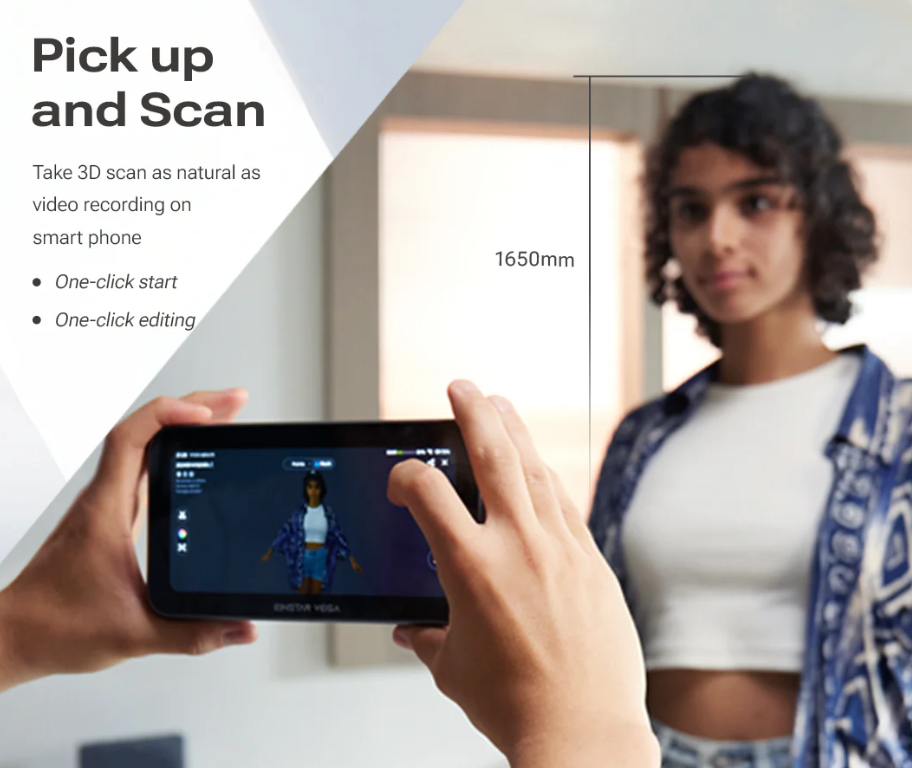
The evolution of 3D technology
This combination has opened new doors for designers, engineers, healthcare professionals, and creators. The ability to capture real-world objects and convert them into digital models allows for faster innovation and more accurate results. As a result, the use of handheld 3d scanner tools is growing across multiple sectors.
What is a handheld 3d scanner
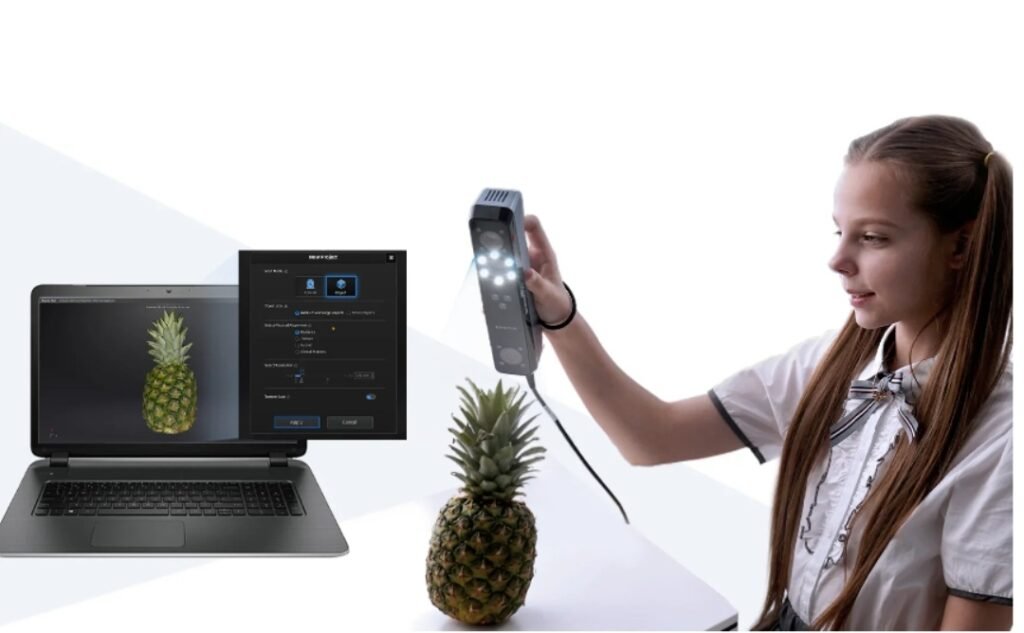
A handheld 3d scanner is a portable device designed to capture the shape and details of physical objects in three dimensions. Unlike traditional scanners, it can be moved freely around the object, making it easier to scan complex shapes and surfaces.
This flexibility makes the handheld 3d scanner an essential tool in 3d printing and 3d scanning workflows. It collects detailed spatial data that can be used to recreate objects digitally. These digital models can then be edited, analyzed, or reproduced using 3D printing technology.
Another advantage of the handheld 3d scanner is its ease of use. It does not require a fixed setup, which makes it ideal for fieldwork, industrial environments, and creative studios.
How 3d printing and 3d scanning work together
The process of 3d printing and 3d scanning typically begins with capturing an object using a handheld 3d scanner. The scanner records thousands of data points, creating a highly detailed digital representation.
Once captured, the model is imported into specialized software where it can be refined. Designers can fix imperfections, adjust dimensions, or modify the structure entirely. This stage is critical in ensuring the final output meets specific requirements.
After editing, the digital file is sent to a 3D printer. Through 3d printing and 3d scanning, the object is recreated layer by layer, resulting in a physical replica or prototype. This seamless integration makes the process efficient and highly customizable.
Industrial applications
The use of handheld 3d scanner technology has expanded significantly in industrial sectors. In manufacturing, it is used for quality control and reverse engineering. Engineers rely on 3d printing and 3d scanning to inspect parts and ensure precision.
In healthcare, the handheld 3d scanner is used to create custom prosthetics and medical devices. The ability to scan a patient’s body accurately improves comfort and effectiveness.
The automotive and aerospace industries also benefit from 3d printing and 3d scanning, using the technology to design, test, and reproduce complex components quickly.
Key benefits of the technology
One of the biggest advantages of 3d printing and 3d scanning is accuracy. A handheld 3d scanner captures fine details that would be difficult to measure manually.
Time efficiency is another major benefit. Tasks that once required days can now be completed in hours. The integration of 3d printing and 3d scanning streamlines workflows and reduces production time.
Additionally, the portability of the handheld 3d scanner allows professionals to work in various environments without sacrificing quality. This flexibility is especially valuable in industries that require on-site measurements.
Challenges and limitations
Despite its advantages, 3d printing and 3d scanning still face some challenges. The cost of high-quality equipment, including a handheld 3d scanner, can be a barrier for small businesses or individuals.
Certain surfaces, such as reflective or transparent materials, can also be difficult for a handheld 3d scanner to capture accurately. This may require adjustments or additional tools.
Another limitation is the learning curve. To fully utilize 3d printing and 3d scanning, users must understand software tools and scanning techniques. However, as technology improves, these barriers are gradually decreasing.
The role of innovation
Advancements in artificial intelligence are also enhancing scanning accuracy and automating parts of the workflow. This makes 3d printing and 3d scanning more accessible to a wider audience.
As technology evolves, the handheld 3d scanner is no longer limited to industrial use. It is now being used in education, art, and even personal projects.
Economic and social impact
The rise of 3d printing and 3d scanning is having a significant impact on the global economy. Businesses can innovate faster and produce customized products at a lower cost.
The handheld 3d scanner also supports sustainable practices by reducing waste and optimizing material usage. This aligns with the growing demand for environmentally friendly solutions.
In addition, 3d printing and 3d scanning create new job opportunities and skill requirements, contributing to workforce development in technology-driven industries.
The future of 3D scanning and printing
The future of the handheld 3d scanner looks promising. As devices become more compact and affordable, their adoption will continue to grow.
The development of 3d printing and 3d scanning will likely include greater automation, faster processing, and improved accuracy. These advancements will expand the technology’s applications even further.
From healthcare to entertainment, the handheld 3d scanner will play a key role in shaping the future of digital and physical creation.
Conclusion
The combination of handheld 3d scanner technology with 3d printing and 3d scanning is transforming how we interact with the physical world. It offers precision, efficiency, and endless creative possibilities.
While challenges remain, the rapid development of this technology ensures continued growth and innovation. The handheld 3d scanner is becoming an essential tool across industries.
As 3d printing and 3d scanning continue to evolve, they will redefine how products are designed, produced, and experienced, marking a new era in technological advancement.


The emergence of smartphones has transformed the way we connect to mobile networks, our phone numbers, and the internet. One innovation that has increased the flexibility of mobile connectivity is the embedded SIM, or eSIM. Users can download a digital SIM profile to access a compatible mobile network rather than install a physical SIM card.
However, before you select an eSIM in Singapore plan, you need to check if your smartphone supports this technology. Not all devices are equipped with eSIM hardware, and some only support eSIM in certain regions. Knowing these criteria will save you from purchasing a plan your smartphone cannot set up.
What Does It Mean to Be eSIM-Compatible?
An eSIM is a programmable SIM that’s built into a device. It carries the subscriber information, enabling it to connect to a mobile network without a removable SIM card.
Just because you’ve bought a fairly recent smartphone doesn’t mean to say eSIM is standard equipment. Some models do, but it is contingent upon the manufacturer and the country in which you purchased it.
1. Integrated eSIM Hardware
Firstly, a smartphone needs to possess an embedded SIM (eSIM) hardware component. This component allows the phone to download/store an eSIM profile for a mobile operator.
Without this, a device usually cannot be enabled for a generic eSIM offering through software updates. Don’t just look at the release year or price of the device; check the manufacturer’s specifications.
2. Software and Operating System Compatibility
Your phone will also need to support software to install and manage these eSIM options. Manufacturers offer a way to add, delete, and switch mobile profiles in network settings.
Sometimes an operating system update will resolve activation or compatibility issues. An update will not, however, add eSIM hardware when your device was not built to be eSIM-compatible.
3. Regional and Carrier Restrictions
Some phones are eSIM-enabled in one country but not the other. Manufacturers can make different hardware for different markets.
For example, some versions of the iPhone sold in mainland China, Hong Kong, and Macau have different SIM configurations than those sold in other markets. Samsung and other Android manufacturers also feature regional variants.
So two phones with the same name may not have exactly the same connectivity features.
What Smartphone Brands Support eSIM?
Most major brands of smartphones offer eSIM on some of their devices. Not every device of a brand supports it, so you’ll need to double-check the precise model number.
1. iPhone by Apple
Apple first introduced eSIM support in the iPhone XS, iPhone XS Max, and iPhone XR. Newer models generally support this technology, but there are regional differences.
The technology is supported on the following iPhones:
- Xs Max, Xs, and Xr
- iPhone 11, 12, and 13 series.
- iPhone 14, 15, and 16 series
- iPhone 17 series and later.
Some models sold in the United States are eSIM only, while most international models come with a nano-SIM slot and eSIM. Some mainland China and Hong Kong models are further restricted.
See Apple’s eSIM compatibility guide for each model.
2. Samsung Galaxy
Samsung Galaxy flagships are eSIM compatible.
Supported families include:
- Galaxy S20 series and newer S models.
- Galaxy Note 20 Series.
- Galaxy Z Flip and Z Fold lines.
- Some Galaxy A models.
However, not all Galaxy devices support eSIM. Carrier variants and regional models differ. Because of this, users should check their model number against specs from Samsung or their mobile carrier.
3. Google Pixel
Some generations of Google Pixels also have eSIM support.
From Pixel 4 series, and up, eSIM is supported in general, with some exceptions depending on the region. Some older Pixel models have eSIM, too, depending on the market version of the phone.
Pixel owners can check their network settings for the option to add an eSIM profile before purchasing a mobile plan.
4. Other Android Manufacturers
Other Android manufacturers (e.g. Motorola, Xiaomi, Oppo, and Huawei) also offer eSIM devices.
However, the compatibility can be highly inconsistent across product series. For example, some high-end phones can read digital SIM profiles, but other phones at the same price range can only accept physical SIM cards.
Always check official manufacturer specs to ensure the specific regional variant is compatible with your network.
How to Tell If Your Phone Supports eSIM
You do not need to purchase an eSIM plan just to find out whether your smartphone supports the technology. Most compatible devices will have evidence of it in the settings.
1. iPhone Compatibility
Checking on iPhones is a simple matter for Apple.
Here’s what you need to do:
- On your iPhone, open Settings.
- Tap General.
- Tap on About.
- Scroll and find a digital SIM or EID number.
The EID is the embedded identity document number of the eSIM hardware in the phone. If an EID appears, that’s a good sign that the phone supports eSIM.
Also check the Carrier Lock section. If it says “No SIM Restrictions,” then the phone is unlocked and will normally accept a SIM profile from any other compatible carrier.
2. Checking on an Android Phone
While the Android settings can differ by manufacturer, the process is generally similar.
- Open Settings.
- Tap Connections, Network and Internet, or Mobile Network.
- Find SIM Manager or SIMs.
- Look for an option like Add eSIM or Add Mobile Plan.
Seeing this option is a good indicator that your device is eSIM-compatible. However, there’s still a need for users to check for carrier restrictions and regional compatibility.
3. Verify IMEI and EID Numbers
If you have the identification information of the device, you can use it to check for compatibility.
Simply dial *#06# on your phone. Most smartphones will display their IMEI numbers and, on phones with eSIM support, an EID.
The IMEI number belongs to the mobile device, whereas the EID belongs to its embedded SIM hardware. The numbers are not interchangeable and serve different purposes.
In fact, any operator may require the IMEI to check that its eSIM service is compatible with the device that it will be installed on.
What Else Do You Need to Activate an eSIM?
Having a compatible smartphone is only part of the story. You also have to meet requirements from your mobile operator.
1. Unlocked Device
If the phone is tied to a carrier, you may not be able to add an eSIM from a different carrier.
For example, you might have to unlock the phone from the contract you bought it on first.
For an iPhone, you can check Carrier Lock status in Settings > General, then About. On an Android, check the device settings or call the original operator.
2. A Trusted Mobile Provider
Not all mobile operators support eSIMs on all plans and devices.
Verify that your operator allows eSIM activation on your smartphone model before purchasing. You should also check whether it is only for postpaid service, prepaid service, or both.
If you are in Singapore, see if Singaporean carriers such as Singtel, StarHub, and M1 list eSIM information.
3. Consistent Internet Access
Most eSIMs will require an internet connection to download the digital profile.
Having a good Wi-Fi connection while installing can be helpful, particularly if the user is activating a new plan on the go. Users should also read the operator’s instructions carefully because some activation QR codes are single-use.
Typical eSIM Compatibility Problems to Look Out For
Even if a smartphone is compatible with eSIMs, there may be problems that prevent successful activation. Familiarising yourself with these will help you avoid unnecessary time and expenditures.
1. Local Model Variations
A phone model from overseas may have different SIM capabilities compared to a local phone model in Singapore. This becomes particularly critical with imported smartphones and smartphones purchased off international marketplaces.
Always check the complete model number, not just the product name.
2. Carrier Limitations
However, a few devices lock to the original carrier. The phone may even refuse profiles from other networks despite the hardware supporting eSIM.
Confirm with the original carrier whether the device is eligible for unlocking.
3. Restricted eSIM Move Capability
Unlike a physical SIM, swapping eSIMs between phones will not be as simple as swapping cards. Some carriers will transfer automatically, while others will have you order a new QR code or validate your identity.
Make sure to inspect the transfer process of the operator before the switch so you aren’t cut off from your mobile number.
Choosing an eSIM Provider in Singapore
Once you verify that your smartphone supports eSIM, you can then seek a mobile plan that works for you.
Consider the amount of mobile data, network coverage, subscription validity, and whether the plan supports calls and SMS. International travellers should also look into roaming limits, and residents can also compare prepaid vs. postpaid.
For example, Giga lists details of its eSIM plan, which Singapore mobile users can check out for its digital-SIM plan.
Regardless of which provider you pick, check its supported device requirements before purchasing. This is particularly important if you have an imported or third-party-purchased phone.
Conclusion: The Importance of eSIM Compatibility
Planning to purchase an eSIM? Do a compatibility check with your phone to save yourself from the headache of an activation and money waste. While many newer Apple, Samsung, and Google phones utilise this technology, there may be exceptions, as hardware differences, carrier locks, and regional restrictions on whether this technology is used can impact the compatibility of a specific phone.
Start by looking in the settings of your device for an EID or the ability to add an eSIM. Next, confirm that your phone is unlocked and compatible with your mobile carrier.
These steps will help you become confident or more confident that you have ensured your smartphone can connect to digital mobile connections and can find a suitable eSIM plan.
Technology
The Reshoring Effect: Why US Manufacturers Are Turning to Custom Automation Machinery to Stay Competitive

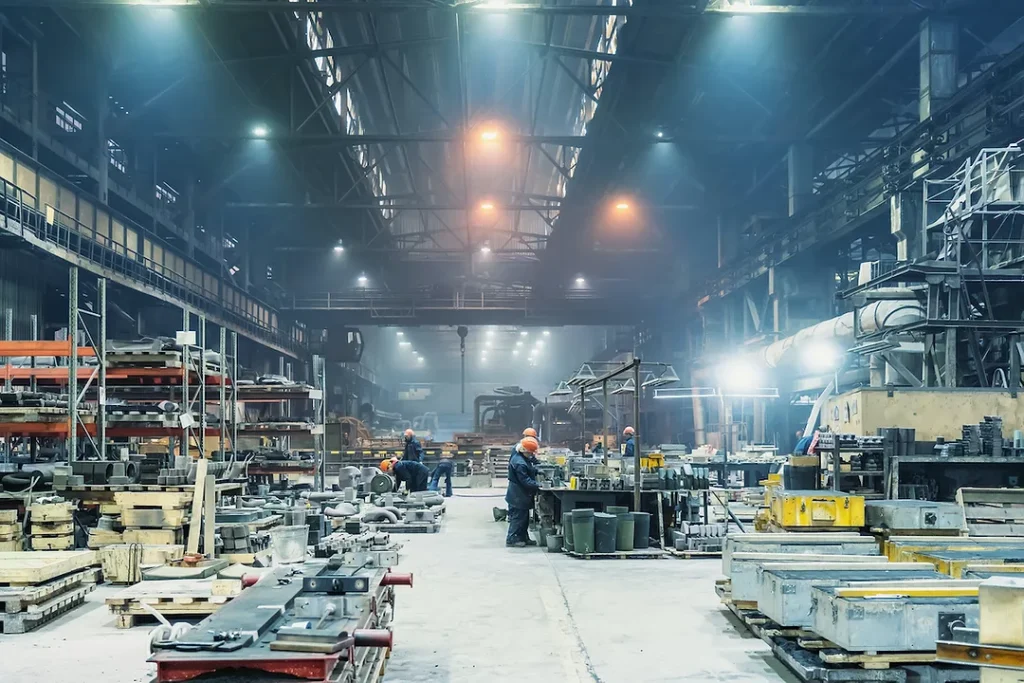
Over the past several years, a meaningful shift has been taking place across American manufacturing. Companies that once moved production overseas to reduce labor costs are now bringing those operations back to the United States. The reasons vary — supply chain disruptions, rising international shipping costs, geopolitical uncertainty, and growing pressure to maintain tighter quality control. But returning domestic production creates a new set of challenges that many facilities were not built to handle at scale.
When manufacturing left the US, so did much of the production infrastructure built around it. Reshoring is not simply a matter of flipping a switch. It requires rebuilding capacity, and in most cases, rebuilding it under conditions that look very different from those that existed a generation ago. Labor availability is tighter. Wage expectations are higher. Consumer demand for product consistency has increased. And competitive margins remain thin regardless of where production takes place.
This is the environment in which many manufacturers are now evaluating their equipment and production systems. What they are finding is that standard, off-the-shelf machinery often does not address the specific requirements of their workflows. The gap between what generic equipment offers and what a returning or expanding domestic operation actually needs has made purpose-built automation a practical consideration rather than a luxury.
What Custom Automation Machinery Actually Addresses
When manufacturers begin evaluating automation, the conversation often starts with labor costs. But the more consequential driver is process fit. custom automation machinery is designed around the specific constraints, tolerances, and production sequences of a given facility — not around a generalized set of industry assumptions. That distinction changes what the equipment can realistically deliver.
For manufacturers engaged in reshoring, this matters more than it might in a stable, long-running operation. Bringing production back domestically often means building or retrofitting a facility that was not originally designed for the product now being made there. Processes that worked overseas under different labor structures and cost models need to be reimagined from the floor up. Off-the-shelf equipment, which is built to serve the broadest possible market, frequently introduces compromises — in throughput, in integration with existing systems, or in the specific handling requirements of the product itself.
Purpose-built systems eliminate those compromises by starting with the production problem rather than an existing product catalog. The result is machinery that fits the workflow rather than requiring the workflow to adapt around the machine.
Integration With Existing Infrastructure
One of the more overlooked challenges in domestic production expansion is the difficulty of integrating new equipment with systems that are already in place. Most US manufacturing facilities that are reshoring production have some existing infrastructure — conveyors, packaging lines, inspection systems, or control networks — that must continue to function without interruption. Introducing generic automation equipment into that environment often requires significant workarounds, custom interface development, or operational compromises that reduce the overall efficiency of the line.
Purpose-built automation is engineered with those existing systems in mind from the start. Rather than adapting a standard machine to an unusual installation environment, the equipment is designed to communicate with, connect to, and operate alongside what is already there. This reduces implementation time, lowers the risk of production delays during transition, and produces a more stable system once it is running.
Handling Product Variability
Many manufacturers returning to domestic production are not making a single, uniform product. They may be producing product families with different configurations, sizes, or materials that run on the same line at different times. Standard automation equipment often handles this poorly, requiring manual changeovers, recalibration, or separate lines for each variant.
Purpose-built systems can be designed to accommodate that variability without sacrificing cycle time or requiring extensive manual intervention. This makes the equipment more versatile across the life of the investment, even as product requirements change over time.
The Labor Equation in Reshored Operations
Domestic manufacturing labor is more expensive than it was during the decades when offshoring was most attractive, and that gap is not narrowing. This does not mean automation should be viewed as a replacement for workers, but it does change the calculus around where human labor is most effectively applied within a production environment.
In reshored facilities, the goal is typically not to eliminate the workforce but to deploy it more selectively — on tasks that require judgment, adaptability, and decision-making, while automating the repetitive, high-volume, or physically demanding portions of the process. That balance only works well when the automation itself is reliable and consistent. Equipment that frequently misfeeds, jams, or requires recalibration creates labor demands of its own, undermining the efficiency that was the original justification.
Consistency as a Competitive Factor
For manufacturers competing on quality — and most US producers reshoring work are doing so at least in part because they can command a premium for domestically made, quality-controlled goods — consistency is not an abstract goal. It is a direct input into customer retention and margin protection. Automated systems that produce inconsistent output create downstream costs: rework, waste, warranty claims, and reputational exposure.
Purpose-built machinery, because it is designed around the specific tolerances and requirements of the product, tends to produce more consistent results than general equipment applied to a specialized application. That consistency compounds over time — reducing scrap rates, improving predictability in production planning, and making quality control more straightforward.
Training and Operational Familiarity
One practical challenge in reshored facilities is workforce familiarity with new equipment. When a manufacturer installs generic automation, operators and maintenance staff must learn a system that may have been designed for a different industry or application. Documentation, troubleshooting, and spare parts are often calibrated to a broader market rather than the specific use case.
Custom-built systems can be designed with the end user’s operational context in mind — including the skill level of the existing workforce, the maintenance capabilities of the facility, and the specific failure modes most likely to occur. This reduces training time, lowers the risk of misuse, and makes ongoing maintenance more manageable without requiring specialized external support for routine issues.
Reshoring and the Broader Supply Chain Calculation
The supply chain disruptions that became highly visible during the early 2020s accelerated a reconsideration of offshore production that had already been building for years. Many manufacturers discovered that the cost savings of overseas production were offset — or more than offset — by the costs of inventory buffering, extended lead times, freight volatility, and the inability to respond quickly to demand changes.
Domestic production shortens those supply chains significantly. But the efficiency gains from proximity are only fully realized when the domestic operation itself is running reliably. A reshored facility that struggles with equipment reliability or production consistency does not deliver the supply chain resilience that motivated the decision to return production in the first place.
According to the National Institute of Standards and Technology’s manufacturing programs, operational reliability and process consistency are among the primary technical barriers that small and mid-sized manufacturers face when scaling domestic production capacity. That observation reflects a real pattern: the decision to reshore is often strategically sound, but the operational execution requires investment in systems that can sustain production at the required volume and quality.
Capital Allocation and Long-Term Fit
Manufacturers evaluating automation investments in the context of reshoring are often working with capital that was freed up by changes in their supply chain structure — lower inventory requirements, reduced freight costs, or consolidation of vendor relationships. How that capital gets allocated matters significantly for the long-term viability of the domestic operation.
Generic equipment tends to have a lower upfront cost but a higher operational cost over time when it does not fit the application well. Purpose-built systems require more upfront investment but typically deliver better long-term performance because they were designed for the specific work they are doing. For a facility making a multi-year commitment to domestic production, that long-term fit is a more relevant measure of value than initial purchase price.
Sector-Specific Considerations
The reshoring trend is not uniform across all manufacturing sectors. Some industries have experienced it more acutely than others, and the automation implications vary accordingly.
• Food and beverage producers returning packaging or processing operations domestically face strict hygiene requirements that generic equipment may not meet without significant modification, making purpose-built systems a practical necessity rather than a preference.
• Electronics and component manufacturers often require extremely precise handling systems because their products have tight tolerances and are sensitive to contamination or physical stress during automated processing.
• Metal fabrication and machining operations that are reshoring complex part production often need automation systems that can handle material variability and integrate with existing CNC or inspection equipment already in place.
• Consumer goods manufacturers competing on domestic branding need production systems that can accommodate frequent product changes or short runs without costly downtime between configurations.
• Medical device and pharmaceutical producers face regulatory requirements that make equipment validation a central concern — purpose-built systems can be designed to support validation documentation from the outset.
In each of these cases, the specific demands of the industry make a generic automation solution a poor match for the operational reality. The gap between what standard equipment offers and what the production environment requires is where custom engineering becomes the more practical path.
Conclusion: Automation as Infrastructure, Not Just Equipment
The manufacturers who are successfully reshoring production are not simply moving machines and workers back across an ocean. They are rebuilding production infrastructure around a different set of constraints — higher labor costs, tighter quality expectations, shorter supply chains, and the need to respond more quickly to market changes. That rebuilding process requires equipment that was designed for the work it will actually do.
Custom automation machinery, in this context, is less a product category and more an approach to industrial problem-solving. It starts with a clear understanding of what the production process requires and works backward to the equipment design. For manufacturers who have made the commitment to operate domestically and compete on quality and reliability, that approach is not a premium option — it is the foundation of a production system that can actually deliver what the business strategy requires.
The reshoring trend will continue to evolve as economic conditions change, and the manufacturers who build the right operational infrastructure now will be better positioned to absorb those changes without disruption. Equipment that fits the process, integrates with existing systems, and produces consistent output is not a competitive advantage in an abstract sense. It is the basic requirement for a domestic manufacturing operation that can sustain itself over time.

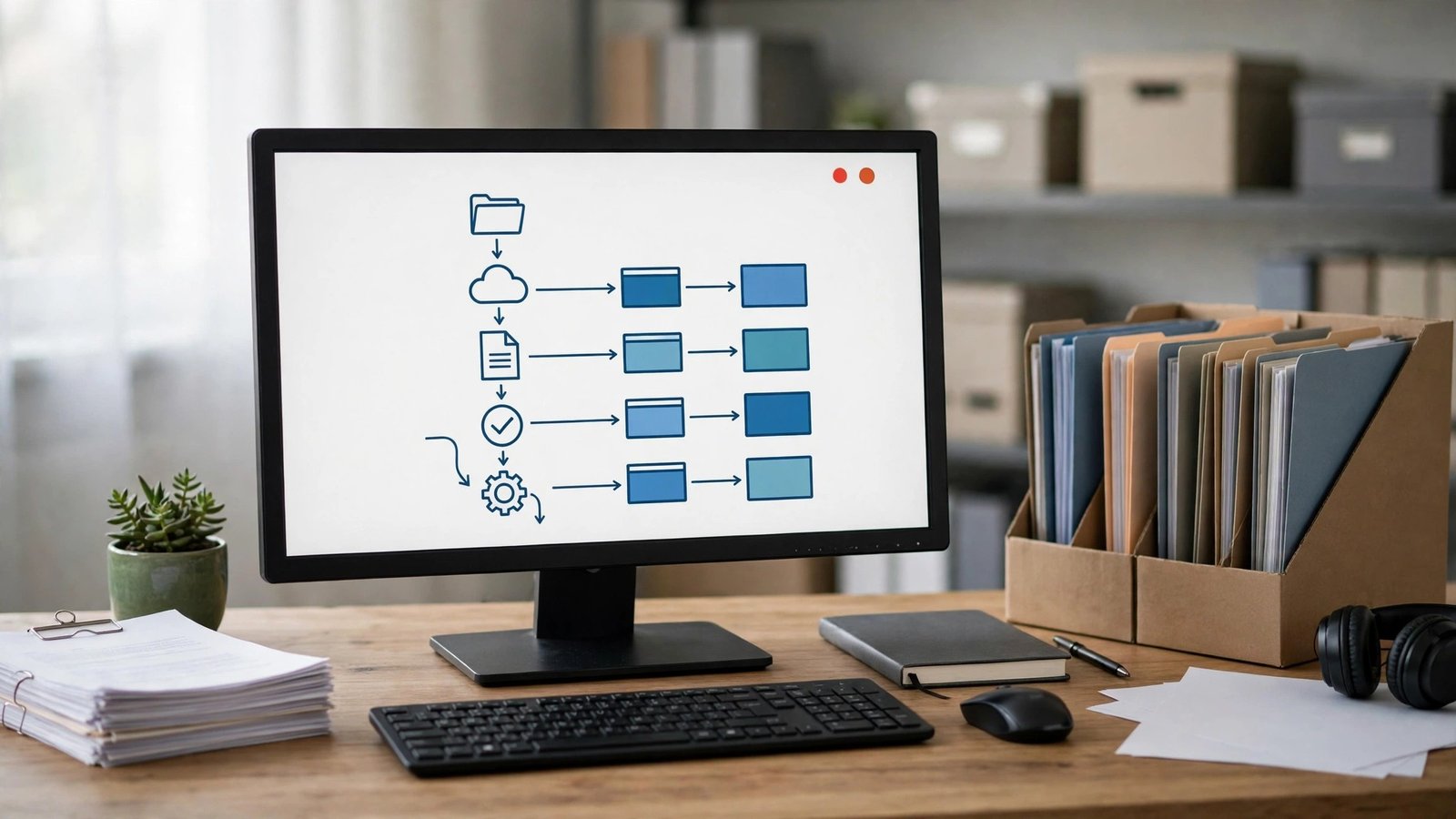
The use of the computer screen is now fundamental to so many key tasks, from dealing with your own digital accounts and dealing with businesses to carrying out digital projects. A simple screenshot is often not enough to capture the full picture. That’s where iTop Screen Recorder comes in. It allows you to record what’s happening on your screen as video so that you can have a video record of the key digital tasks and processes.
Keep a Record of Important Procedures
Users frequently need to go through several steps to achieve something, such as setting up software, updating website settings, or managing or running an online platform. It can be difficult to remember all the steps involved, particularly when you’re going to have to do the process again at a later stage.
With iTop Screen Recorder, you can record that activity and save it as a video reference. It’ll help them to work through the sequence of actions by simply listening to the recording rather than having to go through all the written instructions.
Document Changes in Digital Projects
Digital projects are constantly in a state of flux. The apps get updated, the admin will be fiddling with the settings, and the content is constantly being updated.
Selecting stages to record can be useful in order to create a visual record of the project’s evolution. The videos can show the state of a particular interface before the change is applied, the changes that are being made, and the changes that have been applied as a result.
Create Visual Reference Material
An archive of video screenshots can be a very useful personal reference book. You can save in there examples of new software, examples of key workflows, and the various computer activities that you find yourself doing all the time.
You can just go back and look at the same recording at the same time again when the same situation arises in the future rather than having to go hunting for the instructions again. Can be particularly useful for people who are doing several digital things at once.
Support Workplace Documentation
So many organisations run on standard processes for their day-to-day activities. New staff will often need help with the software, the intranet and the admin side of things.
Documented demonstrations can be used to show these procedures in a visual format. Team members can refer to the instructions as and when required and go through a similar process.
Capture Information with Audio
Some of the activities in the digital space will require a bit more explanation in order to be properly understood. A software configuration process, for instance, might involve the setting of various options whose meaning is not immediately obvious.
If available, you can record the mic/system audio with the screen activity to provide some context. The spoken commentary can help the viewer to understand why a particular action was taken and what is going to happen as a result.
Organize Recordings for Future Use
Making recordings is by no means the only aspect of good digital documentation. Good file organisation will go a long way to helping you find the key videos later on.
Users can group their recordings into folders by date of recording, software used, or project name. Key recordings can be separated out from the rest of the information simply by having meaningful names, without the need for any complicated searches.
Protect Sensitive Information
Not all screen activity is appropriate to record or to share. Users should close private documents, hide private data, and absolutely not show the following during capture: passwords, financial details, personal data.
A full review of the video prior to release can go a long way to help you work out what information you should be keeping under wraps. When you’re recording either professional or personal activities, it’s vital that you do so in a responsible manner.
Conclusion
You can capture and store your key digital workflows in a very practical way via video using iTop screen recorder. Whether you’re making a video of your project changes or of your working practices, the video can be viewed at any time and, of course, can be used as part of your personal reference library. If you structure your docs appropriately and take care with privacy, then your digital documentation can be a very useful and reliable thing.

Keyrings UK: The Pocket-Sized Promotional Item Businesses Never Knew They Needed

Why Eddy Current Inspection Signals Change and How to Interpret Them

Can Your Phone Support eSIM Singapore? A Device Compatibility Guide

Who Is Shameera? All You Need To Know About Charli XCX’s Mother

Who Is Gulliver Flynn Oldman? The Untold Story of Sir Gary Oldman’s Son

Meet Rosemary Turner: The Mother of Actor Callum Turner
-
Biographies9 months ago
Who Is Shameera? All You Need To Know About Charli XCX’s Mother
-
Biographies9 months ago
Who Is Gulliver Flynn Oldman? The Untold Story of Sir Gary Oldman’s Son
-
Biographies9 months ago
Meet Rosemary Turner: The Mother of Actor Callum Turner
-

 Biographies7 months ago
Who is Alexandra James? Inside The Life of Jeremy Clarkson’s Former Partner
-
 Biographies9 months ago
Who is Todd McRae? Meet Tate McRae’s Father
-
 Biographies8 months ago
Who Is Daniel Mara? The Untold Story of Kate Mara’s Private Sibling
-
 Celebrity9 months ago
Who Is Peter Hernandez? The Real Story of Bruno Mars’ Father
-

 Blog5 months ago
AI Video for Social Media: How Small Brands Keep Up Without Burning Out