
Education
Why Gerard Quinlan’s Poetry Collection Is the Urban Irish Voice We’ve Been Waiting For


Gerard Quinlan has done something remarkable with his debut collection; he has turned the ordinary streets of Dublin into a living, breathing stage for human emotion. In Spin the Wheel Spin (Four O’clock Buzz): Weeds Between the Cobbles, Quinlan captures the city not as a postcard destination but as a complex, restless place full of people who are quietly extraordinary.
This collection arrives at a time when much contemporary Irish poetry has drifted toward the abstract and academic. Quinlan’s work is a welcome return to the concrete, the tangible, and the immediately recognizable. His poems speak directly to anyone who has ever sat in Dublin traffic, walked past a crumbling wall on Dorset Street, or felt the strange loneliness of a crowd.
The Forgotten Rhythms of City Life
What makes this collection so compelling is its attention to the rhythms most poets ignore. The hour of four o’clock, referenced in the title itself, is not a grand poetic hour. It is the hour of traffic, of shutters coming down, of people rushing to buses. Quinlan elevates this ordinary moment into something worth noticing.
In The Angry Cyclist, we see how a flash of road rage becomes a meditation on modern urban stress. The cyclist’s fury dissolves into the wider flow of traffic, and the poem quietly reminds us that most of our irritations are temporary. It is the kind of observation that only comes from someone who has genuinely lived among these streets rather than merely observed them from a distance.
Quinlan’s Dublin is layered: it contains grief and laughter, loneliness and community, all existing within the same short walk. His genius is in refusing to simplify this complexity. The city is messy, and so are its people, and he celebrates both without apology.
Working-Class Authenticity as Literary Strength
One of the most striking qualities of this collection is its unapologetic working-class perspective. There are no mansions or country estates here. There are sorting rooms, bus routes, cracked pavements, and the accumulated weight of decades spent in ordinary employment. This is the Dublin of the commuter, the neighbor, the market trader.
This authenticity is not poverty tourism. Quinlan does not frame working-class life as something to be pitied or romanticized. He simply presents it as valid, worthy of poetic attention, and rich with its own textures and meanings. This is a rare quality in contemporary poetry and it gives the collection considerable moral force.
When Quinlan writes about family photographs and ageing relatives in poems like Cousins, he captures the way time transforms relationships without ever quite severing them. The emotional weight is handled with tremendous subtlety. You feel it without being told exactly what to feel, and that is the mark of a genuinely accomplished poet.
A Collection That Demands to Be Read Slowly
Readers approaching this collection should be warned: it rewards patience. These poems do not announce themselves with dramatic gestures. They accumulate. A line in one poem will resonate with an image in another, and slowly the full picture of a city, a community, and a life emerges. Gerard Quinlan is a poet who trusts his readers, and that trust is repaid in full.
The title metaphor, weeds between the cobbles, perfectly encapsulates the spirit of the work. These are poems that grow in the gaps, in the overlooked spaces, in the moments nobody photographs or celebrates. And like real weeds, they are tougher and more resilient than they first appear.
This collection is essential reading for anyone who loves Dublin, who has ever felt invisible in a city, or who simply wants to be reminded that poetry can still be alive to the world we actually inhabit. Pick it up and read it on a bus, in a café, or at four o’clock in the afternoon when the traffic is thickening outside.

Early childhood education is about much more than learning letters, numbers, shapes, and colors. During the preschool years, children are also developing communication skills, emotional awareness, physical coordination, independence, creativity, and the ability to interact with others. For parents searching for a top preschool near me, considering all these areas can lead to a more informed decision.
A strong preschool environment recognizes that development is interconnected. A creative activity can strengthen motor skills, a group game can develop communication, and a simple classroom responsibility can build confidence. Parents should therefore look at the complete learning experience rather than judging a preschool by academics alone.
Whole-Child Development Starts With Emotional Security
Children are more willing to explore when they feel comfortable and supported. A welcoming environment gives them confidence to ask questions, approach educators, try unfamiliar activities, and interact with classmates.
When evaluating a top preschool near me, parents can observe how teachers respond when children need reassurance.
Warm communication matters, particularly during the settling-in period.
Every Child Adjusts Differently
Some children quickly become comfortable in a new classroom. Others prefer to observe before participating.
Quality educators understand these individual differences. They encourage children without creating unnecessary pressure and gradually help them become familiar with routines.
Emotional security provides a foundation for meaningful participation.
Active Learning Keeps Curiosity Alive
Young children naturally want to investigate their surroundings. They learn through movement, experimentation, conversation, and direct experience.
A top preschool near me should offer opportunities to build, sort, compare, draw, count, explore textures, listen to stories, and solve simple problems.
These experiences encourage children to participate rather than simply receive information.
Questions Should Be Welcome
A child’s repeated “why?” can sometimes test adult patience, but questioning is an important part of learning.
Teachers can encourage curiosity by discussing observations and helping children investigate possible answers. This approach can develop thinking skills while showing children that their ideas deserve attention.
Communication Develops Across the Day
Language learning happens constantly in a preschool environment.
Children talk with teachers, listen to classmates, participate in stories, sing songs, and explain what they are doing. Each interaction creates an opportunity to strengthen vocabulary and communication.
Parents comparing a top preschool near me should notice whether educators allow genuine conversations to develop.
Children need opportunities to speak, but they also need to practice listening.
Physical Development Deserves Equal Attention
Preschool children need regular opportunities for movement.
Running, balancing, dancing, climbing, and participating in outdoor games can support coordination and body awareness. Fine motor experiences are equally important.
Drawing, building, threading, arranging objects, and other hands-on activities can strengthen controlled hand movements.
Movement and Thinking Often Work Together
Physical activities are not separate from learning.
A movement game may require children to remember instructions, follow sequences, or react to changing situations. Building activities combine physical coordination with planning and problem-solving.
A balanced preschool understands these connections.
Creativity Encourages Flexible Thinking
Creative experiences give children room to make decisions without always searching for one correct answer.
Art, music, storytelling, construction, and imaginative play can all encourage original thinking.
When children experiment with materials or invent pretend scenarios, they explore possibilities and communicate ideas.
Parents searching for a top preschool near me can look for environments where creativity is treated as a meaningful part of development rather than simply an occasional activity.
Social Skills Grow Through Everyday Experiences
Preschool brings children into regular contact with peers, creating situations that help them understand how communities work.
They learn to share spaces, wait for turns, participate in groups, communicate preferences, and recognize other people’s feelings.
Disagreements Can Teach Important Lessons
Young children will occasionally argue over toys, activities, or whose turn comes next.
Rather than preventing every disagreement, educators can help children communicate and find age-appropriate solutions.
These experiences can gradually strengthen patience, empathy, and problem-solving.
Independence Builds Confidence
Children often take pride in doing things for themselves.
Putting away belongings, selecting an activity, organizing materials, or tidying a workspace may seem like minor responsibilities. However, they allow children to experience genuine independence.
A top preschool near me should provide appropriate opportunities for children to try before adults immediately take over.
The objective is not perfection. It is developing confidence through practice.
Consider the Practical Side of Location
Even an excellent learning environment needs to work with the family’s daily routine.
A lengthy commute can make mornings more difficult and leave young children spending unnecessary time travelling. Accessibility is therefore worth considering alongside educational factors.
Families exploring a top preschool near me in Pune can review the preschool location in Kharadi while planning regular drop-offs, pickups, and travel time.
A practical journey can help create more predictable weekday routines.
Parent Communication Strengthens the Experience
Parents and educators both contribute valuable information about a child’s development.
Teachers may notice classroom interests, social relationships, or emerging abilities. Families can share information about routines, preferences, and changes occurring at home.
Look for Meaningful Updates
Communication should provide more than a general description of whether the day went well.
Useful observations can help parents understand what interests their child, which skills are developing, and how comfortably they are participating.
This exchange can create greater continuity between home and preschool.
What Should Parents Notice During a Visit?
When visiting a top preschool near me, look beyond furniture and decorations.
Observe the children. Are they actively engaged? Can they approach teachers comfortably? Does the environment provide opportunities for both individual and group activities?
Notice how educators handle questions, mistakes, disagreements, and transitions.
These ordinary moments often reveal more about educational quality than a prepared presentation.
Conclusion
Finding a top preschool near me involves choosing an environment that supports the whole child. Academic preparation has value, but so do emotional security, communication, creativity, physical development, independence, curiosity, and social confidence.
Parents should look for supportive educators, meaningful activities, balanced routines, safe spaces, and opportunities for children to participate actively in their own learning.
When preschool addresses development as a connected process, children can build more than early academic skills. They can develop confidence in themselves, curiosity about the world, and the social and emotional abilities needed to approach future learning with enthusiasm.


ACCA, the Association of Chartered Certified Accountants, remains one of the most recognised accounting credentials worldwide, accepted by employers across more than 180 countries. Anyone planning a finance career in 2026 needs clear answers on eligibility, papers, fees and the route from registration to membership. This guide walks through every stage of that journey, built on figures published for the current year, so you can map out your budget and timeline before committing to the qualification.
What Is the ACCA Qualification
The Association of Chartered Certified Accountants is a global professional body for accountants, founded in the United Kingdom and now serving members across six continents. The qualification trains candidates in financial reporting, audit, taxation, business law and strategic management. Its syllabus applies equally well in London, Lagos, Dubai or Mumbai, which gives the credential genuine value for anyone planning a career outside their home country.
Who Can Apply for ACCA in 2026
Anyone who has completed Class 12 or its equivalent with passing marks in English and Mathematics or Accounts can register directly for the Applied Knowledge papers. Graduates from a commerce or finance background can qualify for exemptions that cut down the number of papers required. Working professionals already holding qualifications such as CA, CMA or an MBA in finance can also apply, since prior learning gets assessed paper by paper.
- Class 12 pass with English and Maths or Accounts: register for the Applied Knowledge level
- Bachelor’s degree in commerce, accounting or finance: possible exemptions from several papers
- Existing CA, CMA or CS qualification: exemption from up to nine papers
- Foundation diploma route (FIA): open to students below the standard entry mark
ACCA Course Details: Levels and Papers
The full ACCA have three levels, totalling thirteen papers. The first is Applied Knowledge, with three papers covering business basics, management accounting and financial accounting. Next comes Applied Skills, made up of six papers on corporate law, taxation, performance management, financial reporting, audit and financial management. The final stage, Strategic Professional, carries two compulsory papers plus two chosen from four optional subjects.
| Level | Papers | Subjects Covered |
| Applied Knowledge | 3 | Business and Technology, Management Accounting, Financial Accounting |
| Applied Skills | 6 | Corporate Law, Taxation, Performance Management, Financial Reporting, Audit and Assurance, Financial Management |
| Strategic Professional | 4 (2 compulsory + 2 from 4 options) | Strategic Business Leader, Strategic Business Reporting, plus two from Advanced Financial Management, Advanced Performance Management, Advanced Taxation, Advanced Audit and Assurance |
ACCA Exam Pattern and Marking
All thirteen papers run as computer based exams, with no pen and paper format left in the system for 2026. The pass mark for every paper stands at 50 out of 100, and wrong answers carry no penalty. Applied Knowledge papers can be booked on demand throughout the year, giving instant provisional scores, while Applied Skills and Strategic Professional papers follow four fixed exam windows, with results released roughly six to eight weeks later. These rules form a core part of the ACCA course, and every applicant should review before booking a paper.
ACCA Course Fees in 2026
Fees for the Association of Chartered Certified Accountants are billed in British Pounds and converted by your bank at the prevailing rate. Registration costs a one time amount near £45 to £89 depending on route, while the annual subscription runs close to £134, payable every January. Exam fees rise as you climb levels, with Applied Knowledge papers costing the least and Strategic Professional papers the most. The Ethics and Professional Skills Module, mandatory before membership, adds roughly £60 to £81. Indian students should also budget for tuition with an approved learning partner, ranging from fifty thousand to two lakh rupees for the full course.
Exemptions for Prior Qualifications
Candidates holding a recognised CA or CMA qualification in India can receive exemptions for up to nine papers, covering the entire Applied Knowledge and Applied Skills levels and allowing direct entry into Strategic Professional. Commerce graduates with accounting heavy degrees receive exemptions for a smaller set of papers, most commonly the three Applied Knowledge subjects. Each exemption recognised by the Association of Chartered Certified Accountants carries its own fee, separate from the exam entry cost, so check the official exemption calculator before assuming any paper will be waived automatically.
Practical Experience Requirement
The work experience every candidate must log before becoming a member.
Passing exams alone does not grant membership. Every candidate must complete thirty six months of relevant work experience, called the Practical Experience Requirement, in any finance or accounting role rather than under a fixed mentor or firm type. These ACCA course details matter because the experience can run alongside exam preparation, which is why most working professionals manage both together instead of waiting until papers finish.
ACCA Exam Sessions in 2026
The Association of Chartered Certified Accountants holds four exam sessions every year, in March, June, September and December, for all session based papers. Each session carries an early entry deadline at a lower fee and a standard deadline closer to the exam date at a higher cost. Booking ahead of the standard window can save a meaningful amount across thirteen papers, particularly for students funding their own education.
How Long Does It Take to Complete ACCA
Most candidates finish the full set of ACCA course details, from first registration to final certificate, within two to four years. Students starting straight after Class 12 and attempting two papers per session can close out the qualification in about three years. Those entering with exemptions from prior degrees often finish faster, sometimes within eighteen months of focused study. ACCA allows a window of ten years from initial registration to complete every paper, though few serious students need anywhere near that long.
Career Scope After ACCA Certification
Once certified, members of the Association of Chartered Certified Accountants can work as auditors, tax consultants, financial analysts, controllers or finance managers across banking, consulting and corporate sectors. Entry level salaries in India for newly qualified members commonly start between three and six lakh rupees a year, climbing well past twelve lakhs at mid career stages, with multinational firms and Big Four companies recruiting members directly from campus drives.
Final Word on Your ACCA Journey
Mapping out every stage of the ACCA course details, from eligibility and papers to fees and certification, gives you a realistic budget and timeline before you spend a rupee or an hour studying. The qualification rewards steady, paper by paper progress far more than last minute cramming, and students who book sessions early tend to finish with fewer retakes and lower overall cost. For structured coaching, exemption guidance and exam strategy built around ACCA papers, Zell Education offers a practical starting point for anyone ready to begin this path in 2026.

Key Takeaways
- A structured pre-nursery curriculum balances play, routine, and early skill development.
- Daily schedules in a preschool are designed to build independence, communication, and social skills.
- Activities are short, varied, and repetitive to match the attention spans of young learners.
- Learning is integrated into routines such as meals, transitions, and playtime.
- Consistency across the day is more important than academic intensity at this stage.
Introduction
Understanding what happens during a typical day helps parents assess whether a pre-nursery curriculum aligns with their expectations. After all, in a preschool in SG, daily routines are intentionally structured to support early childhood development rather than academic performance. The focus is on building foundational habits, social interaction, and basic communication skills through guided play and consistent routines. Each segment of the day is designed with a purpose, even if it appears informal on the surface.
Arrival and Settling In
The day usually begins with arrival and a short settling-in period. Children are guided to store their belongings, greet teachers, and transition from home to school. This segment may look simple, but it plays a critical role in developing independence and emotional regulation. Remember, within a pre-nursery curriculum, routines like these are repeated daily to create predictability, which helps reduce anxiety and supports smoother transitions. Teachers also use this time to observe behaviour, mood, and readiness to engage, which informs how the rest of the day may be managed.
Circle Time and Guided Interaction
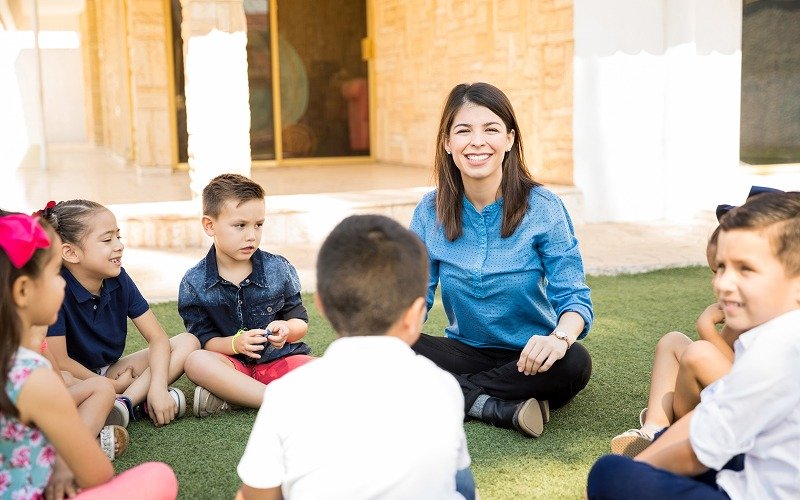
Circle time is one of the first structured activities of the day. It typically involves singing, basic storytelling, and simple instructions such as identifying colours or responding to names. This segment is not about content mastery but about participation and attention-building. The pre-nursery curriculum uses repetition and group interaction to encourage listening skills, turn-taking, and early language development. Activities are kept brief to match attention spans, often lasting no more than 10 to 15 minutes.
Play-Based Learning Activities
A significant portion of the day is dedicated to play-based learning. This time includes sensory play, building blocks, simple puzzles, and role-playing activities. These are not random; they are aligned with the pre-nursery curriculum to support fine motor skills, problem-solving, and creativity. Teachers guide play subtly by introducing prompts or materials that encourage exploration. The goal is to allow children to learn through doing, rather than through instruction-heavy methods. Structured play also helps children practise sharing, cooperation, and basic decision-making.
Snack Time and Routine Building
Snack time is integrated as a learning opportunity rather than a break. Children are encouraged to wash their hands, sit properly, and manage simple tasks like opening containers or using utensils. These routines within a pre-nursery curriculum reinforce independence and self-care. Teachers often use this time to introduce basic social etiquette, such as waiting for others and cleaning up after eating. These small actions contribute significantly to overall development at this stage.
Outdoor Play and Physical Development
Outdoor or gross motor play is another essential part of the day. Activities may include running, climbing, or simple guided games. The pre-nursery curriculum places importance on physical movement to develop coordination, balance, and spatial awareness. This segment also serves as a release of energy, which improves focus during quieter activities later. Exposure to outdoor environments further supports sensory development and social interaction in less structured settings.
Wind-Down and Dismissal
The day typically ends with quieter activities such as reading, simple songs, or free play. This wind-down period helps children transition from an active environment back to home routines. Consistency at the end of the day reinforces predictability and emotional security within a pre-nursery curriculum. Teachers may also provide brief updates to parents, ensuring continuity between school and home environments.
Conclusion
A typical day under a pre-nursery curriculum is carefully structured, even if it appears flexible. Each segment—from arrival to dismissal—serves a developmental purpose. The emphasis is not on early academics but on building routines, social skills, and independence. That said, for parents, understanding this structure provides clarity on what progress looks like at this stage and helps set realistic expectations for early childhood education.
Contact E-Bridge Pre-School and give your child a structured, confidence-building start with a thoughtfully designed pre-nursery curriculum.

From Sketch to Sign-Off: A Step-by-Step UX Prototyping Framework Used by Leading US Design Agencies

How do you choose the right metal for an engagement ring: platinum, gold or rose gold?

The Growing Interest in Peptides for Health and Wellness

Who Is Shameera? All You Need To Know About Charli XCX’s Mother

Who Is Gulliver Flynn Oldman? The Untold Story of Sir Gary Oldman’s Son

Meet Rosemary Turner: The Mother of Actor Callum Turner
-
Biographies8 months ago
Who Is Shameera? All You Need To Know About Charli XCX’s Mother
-
Biographies7 months ago
Who Is Gulliver Flynn Oldman? The Untold Story of Sir Gary Oldman’s Son
-
Biographies8 months ago
Meet Rosemary Turner: The Mother of Actor Callum Turner
-

 Biographies6 months ago
Who is Alexandra James? Inside The Life of Jeremy Clarkson’s Former Partner
-
 Biographies8 months ago
Who is Todd McRae? Meet Tate McRae’s Father
-
 Biographies7 months ago
Who Is Daniel Mara? The Untold Story of Kate Mara’s Private Sibling
-
 Celebrity8 months ago
Who Is Peter Hernandez? The Real Story of Bruno Mars’ Father
-
 Biographies8 months ago
Who Is Alvin Martin? All About the Whoopi Goldberg’s First Husband