
Technology
The Reshoring Effect: Why US Manufacturers Are Turning to Custom Automation Machinery to Stay Competitive

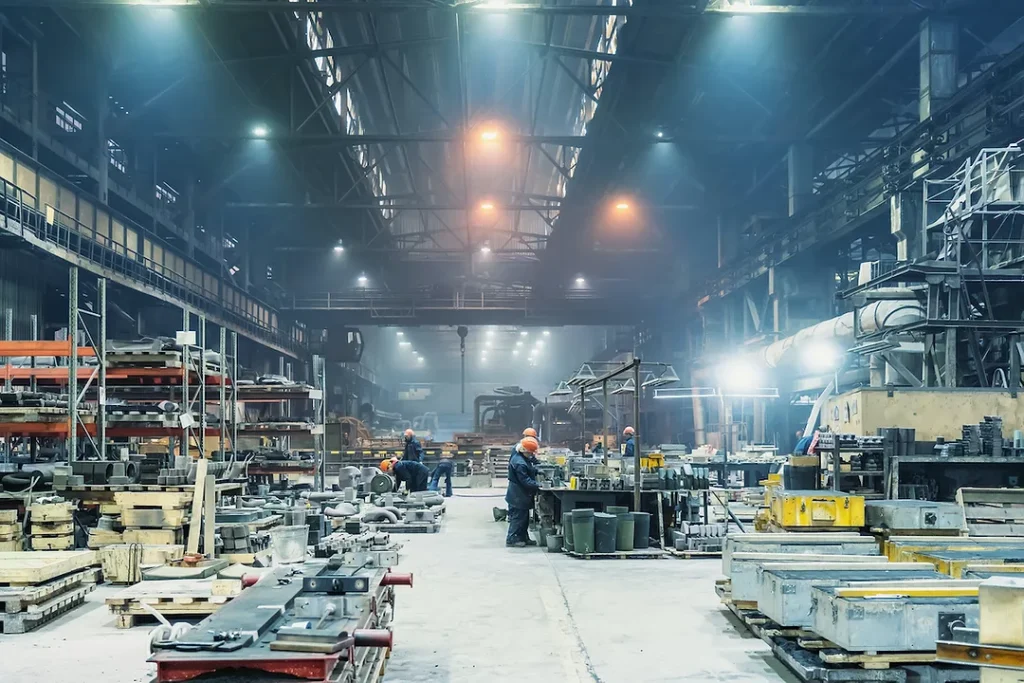
Over the past several years, a meaningful shift has been taking place across American manufacturing. Companies that once moved production overseas to reduce labor costs are now bringing those operations back to the United States. The reasons vary — supply chain disruptions, rising international shipping costs, geopolitical uncertainty, and growing pressure to maintain tighter quality control. But returning domestic production creates a new set of challenges that many facilities were not built to handle at scale.
When manufacturing left the US, so did much of the production infrastructure built around it. Reshoring is not simply a matter of flipping a switch. It requires rebuilding capacity, and in most cases, rebuilding it under conditions that look very different from those that existed a generation ago. Labor availability is tighter. Wage expectations are higher. Consumer demand for product consistency has increased. And competitive margins remain thin regardless of where production takes place.
This is the environment in which many manufacturers are now evaluating their equipment and production systems. What they are finding is that standard, off-the-shelf machinery often does not address the specific requirements of their workflows. The gap between what generic equipment offers and what a returning or expanding domestic operation actually needs has made purpose-built automation a practical consideration rather than a luxury.
What Custom Automation Machinery Actually Addresses
When manufacturers begin evaluating automation, the conversation often starts with labor costs. But the more consequential driver is process fit. custom automation machinery is designed around the specific constraints, tolerances, and production sequences of a given facility — not around a generalized set of industry assumptions. That distinction changes what the equipment can realistically deliver.
For manufacturers engaged in reshoring, this matters more than it might in a stable, long-running operation. Bringing production back domestically often means building or retrofitting a facility that was not originally designed for the product now being made there. Processes that worked overseas under different labor structures and cost models need to be reimagined from the floor up. Off-the-shelf equipment, which is built to serve the broadest possible market, frequently introduces compromises — in throughput, in integration with existing systems, or in the specific handling requirements of the product itself.
Purpose-built systems eliminate those compromises by starting with the production problem rather than an existing product catalog. The result is machinery that fits the workflow rather than requiring the workflow to adapt around the machine.
Integration With Existing Infrastructure
One of the more overlooked challenges in domestic production expansion is the difficulty of integrating new equipment with systems that are already in place. Most US manufacturing facilities that are reshoring production have some existing infrastructure — conveyors, packaging lines, inspection systems, or control networks — that must continue to function without interruption. Introducing generic automation equipment into that environment often requires significant workarounds, custom interface development, or operational compromises that reduce the overall efficiency of the line.
Purpose-built automation is engineered with those existing systems in mind from the start. Rather than adapting a standard machine to an unusual installation environment, the equipment is designed to communicate with, connect to, and operate alongside what is already there. This reduces implementation time, lowers the risk of production delays during transition, and produces a more stable system once it is running.
Handling Product Variability
Many manufacturers returning to domestic production are not making a single, uniform product. They may be producing product families with different configurations, sizes, or materials that run on the same line at different times. Standard automation equipment often handles this poorly, requiring manual changeovers, recalibration, or separate lines for each variant.
Purpose-built systems can be designed to accommodate that variability without sacrificing cycle time or requiring extensive manual intervention. This makes the equipment more versatile across the life of the investment, even as product requirements change over time.
The Labor Equation in Reshored Operations
Domestic manufacturing labor is more expensive than it was during the decades when offshoring was most attractive, and that gap is not narrowing. This does not mean automation should be viewed as a replacement for workers, but it does change the calculus around where human labor is most effectively applied within a production environment.
In reshored facilities, the goal is typically not to eliminate the workforce but to deploy it more selectively — on tasks that require judgment, adaptability, and decision-making, while automating the repetitive, high-volume, or physically demanding portions of the process. That balance only works well when the automation itself is reliable and consistent. Equipment that frequently misfeeds, jams, or requires recalibration creates labor demands of its own, undermining the efficiency that was the original justification.
Consistency as a Competitive Factor
For manufacturers competing on quality — and most US producers reshoring work are doing so at least in part because they can command a premium for domestically made, quality-controlled goods — consistency is not an abstract goal. It is a direct input into customer retention and margin protection. Automated systems that produce inconsistent output create downstream costs: rework, waste, warranty claims, and reputational exposure.
Purpose-built machinery, because it is designed around the specific tolerances and requirements of the product, tends to produce more consistent results than general equipment applied to a specialized application. That consistency compounds over time — reducing scrap rates, improving predictability in production planning, and making quality control more straightforward.
Training and Operational Familiarity
One practical challenge in reshored facilities is workforce familiarity with new equipment. When a manufacturer installs generic automation, operators and maintenance staff must learn a system that may have been designed for a different industry or application. Documentation, troubleshooting, and spare parts are often calibrated to a broader market rather than the specific use case.
Custom-built systems can be designed with the end user’s operational context in mind — including the skill level of the existing workforce, the maintenance capabilities of the facility, and the specific failure modes most likely to occur. This reduces training time, lowers the risk of misuse, and makes ongoing maintenance more manageable without requiring specialized external support for routine issues.
Reshoring and the Broader Supply Chain Calculation
The supply chain disruptions that became highly visible during the early 2020s accelerated a reconsideration of offshore production that had already been building for years. Many manufacturers discovered that the cost savings of overseas production were offset — or more than offset — by the costs of inventory buffering, extended lead times, freight volatility, and the inability to respond quickly to demand changes.
Domestic production shortens those supply chains significantly. But the efficiency gains from proximity are only fully realized when the domestic operation itself is running reliably. A reshored facility that struggles with equipment reliability or production consistency does not deliver the supply chain resilience that motivated the decision to return production in the first place.
According to the National Institute of Standards and Technology’s manufacturing programs, operational reliability and process consistency are among the primary technical barriers that small and mid-sized manufacturers face when scaling domestic production capacity. That observation reflects a real pattern: the decision to reshore is often strategically sound, but the operational execution requires investment in systems that can sustain production at the required volume and quality.
Capital Allocation and Long-Term Fit
Manufacturers evaluating automation investments in the context of reshoring are often working with capital that was freed up by changes in their supply chain structure — lower inventory requirements, reduced freight costs, or consolidation of vendor relationships. How that capital gets allocated matters significantly for the long-term viability of the domestic operation.
Generic equipment tends to have a lower upfront cost but a higher operational cost over time when it does not fit the application well. Purpose-built systems require more upfront investment but typically deliver better long-term performance because they were designed for the specific work they are doing. For a facility making a multi-year commitment to domestic production, that long-term fit is a more relevant measure of value than initial purchase price.
Sector-Specific Considerations
The reshoring trend is not uniform across all manufacturing sectors. Some industries have experienced it more acutely than others, and the automation implications vary accordingly.
• Food and beverage producers returning packaging or processing operations domestically face strict hygiene requirements that generic equipment may not meet without significant modification, making purpose-built systems a practical necessity rather than a preference.
• Electronics and component manufacturers often require extremely precise handling systems because their products have tight tolerances and are sensitive to contamination or physical stress during automated processing.
• Metal fabrication and machining operations that are reshoring complex part production often need automation systems that can handle material variability and integrate with existing CNC or inspection equipment already in place.
• Consumer goods manufacturers competing on domestic branding need production systems that can accommodate frequent product changes or short runs without costly downtime between configurations.
• Medical device and pharmaceutical producers face regulatory requirements that make equipment validation a central concern — purpose-built systems can be designed to support validation documentation from the outset.
In each of these cases, the specific demands of the industry make a generic automation solution a poor match for the operational reality. The gap between what standard equipment offers and what the production environment requires is where custom engineering becomes the more practical path.
Conclusion: Automation as Infrastructure, Not Just Equipment
The manufacturers who are successfully reshoring production are not simply moving machines and workers back across an ocean. They are rebuilding production infrastructure around a different set of constraints — higher labor costs, tighter quality expectations, shorter supply chains, and the need to respond more quickly to market changes. That rebuilding process requires equipment that was designed for the work it will actually do.
Custom automation machinery, in this context, is less a product category and more an approach to industrial problem-solving. It starts with a clear understanding of what the production process requires and works backward to the equipment design. For manufacturers who have made the commitment to operate domestically and compete on quality and reliability, that approach is not a premium option — it is the foundation of a production system that can actually deliver what the business strategy requires.
The reshoring trend will continue to evolve as economic conditions change, and the manufacturers who build the right operational infrastructure now will be better positioned to absorb those changes without disruption. Equipment that fits the process, integrates with existing systems, and produces consistent output is not a competitive advantage in an abstract sense. It is the basic requirement for a domestic manufacturing operation that can sustain itself over time.

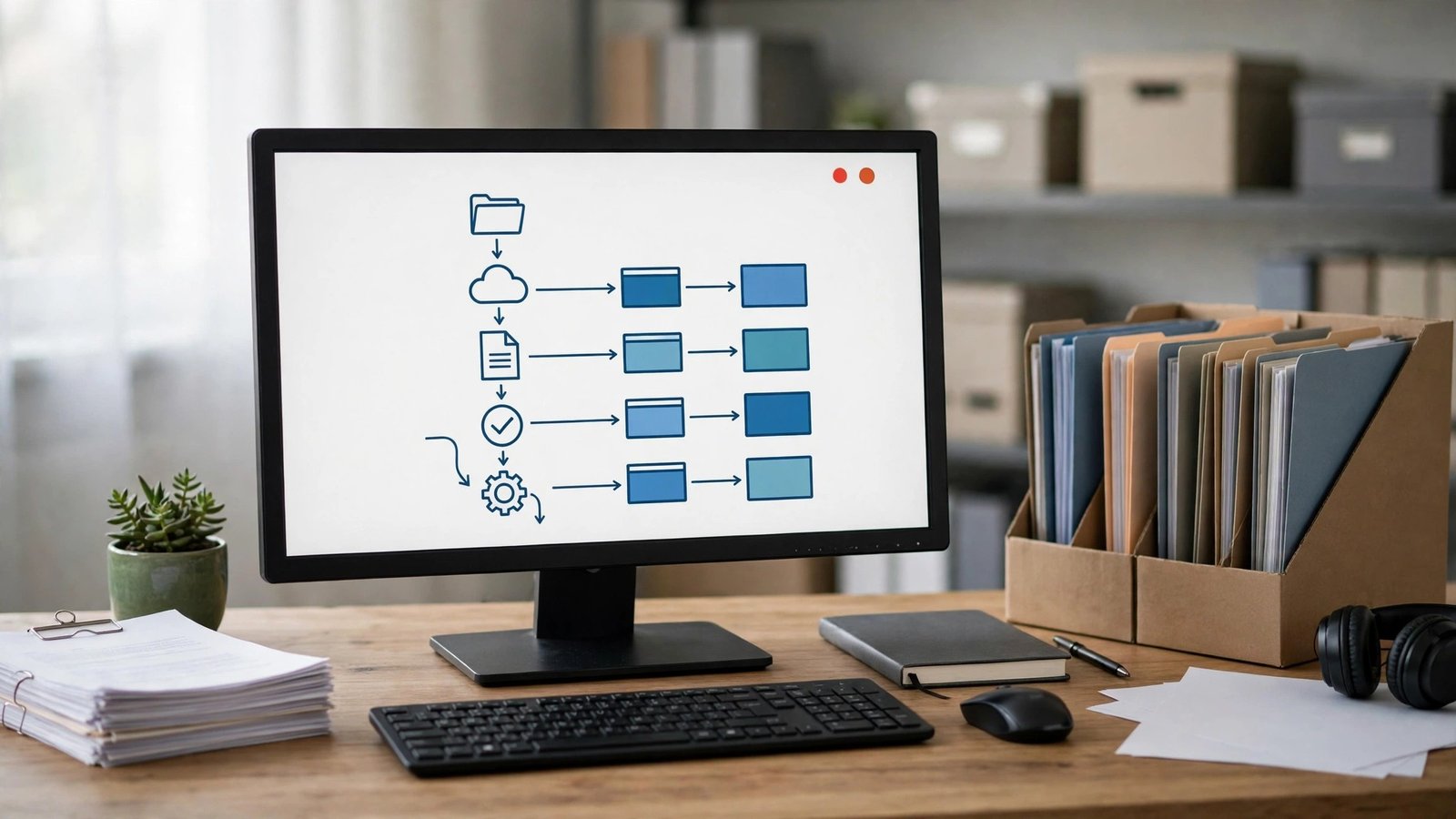
The use of the computer screen is now fundamental to so many key tasks, from dealing with your own digital accounts and dealing with businesses to carrying out digital projects. A simple screenshot is often not enough to capture the full picture. That’s where iTop Screen Recorder comes in. It allows you to record what’s happening on your screen as video so that you can have a video record of the key digital tasks and processes.
Keep a Record of Important Procedures
Users frequently need to go through several steps to achieve something, such as setting up software, updating website settings, or managing or running an online platform. It can be difficult to remember all the steps involved, particularly when you’re going to have to do the process again at a later stage.
With iTop Screen Recorder, you can record that activity and save it as a video reference. It’ll help them to work through the sequence of actions by simply listening to the recording rather than having to go through all the written instructions.
Document Changes in Digital Projects
Digital projects are constantly in a state of flux. The apps get updated, the admin will be fiddling with the settings, and the content is constantly being updated.
Selecting stages to record can be useful in order to create a visual record of the project’s evolution. The videos can show the state of a particular interface before the change is applied, the changes that are being made, and the changes that have been applied as a result.
Create Visual Reference Material
An archive of video screenshots can be a very useful personal reference book. You can save in there examples of new software, examples of key workflows, and the various computer activities that you find yourself doing all the time.
You can just go back and look at the same recording at the same time again when the same situation arises in the future rather than having to go hunting for the instructions again. Can be particularly useful for people who are doing several digital things at once.
Support Workplace Documentation
So many organisations run on standard processes for their day-to-day activities. New staff will often need help with the software, the intranet and the admin side of things.
Documented demonstrations can be used to show these procedures in a visual format. Team members can refer to the instructions as and when required and go through a similar process.
Capture Information with Audio
Some of the activities in the digital space will require a bit more explanation in order to be properly understood. A software configuration process, for instance, might involve the setting of various options whose meaning is not immediately obvious.
If available, you can record the mic/system audio with the screen activity to provide some context. The spoken commentary can help the viewer to understand why a particular action was taken and what is going to happen as a result.
Organize Recordings for Future Use
Making recordings is by no means the only aspect of good digital documentation. Good file organisation will go a long way to helping you find the key videos later on.
Users can group their recordings into folders by date of recording, software used, or project name. Key recordings can be separated out from the rest of the information simply by having meaningful names, without the need for any complicated searches.
Protect Sensitive Information
Not all screen activity is appropriate to record or to share. Users should close private documents, hide private data, and absolutely not show the following during capture: passwords, financial details, personal data.
A full review of the video prior to release can go a long way to help you work out what information you should be keeping under wraps. When you’re recording either professional or personal activities, it’s vital that you do so in a responsible manner.
Conclusion
You can capture and store your key digital workflows in a very practical way via video using iTop screen recorder. Whether you’re making a video of your project changes or of your working practices, the video can be viewed at any time and, of course, can be used as part of your personal reference library. If you structure your docs appropriately and take care with privacy, then your digital documentation can be a very useful and reliable thing.


Giving an employee access to a business account often opens far more than the employee needs. A finance specialist may require settlement reports but not product-management pages. A customer service agent may need orders and messages but not billing or store settings. An agency operator may need campaign pages while unrelated client data should remain outside the assignment.
The login is legitimate. The navigation is too broad.
MoreLogin website access control is designed to close this gap with URL allowlist and blocklist rules inside assigned browser environments. Administrators can define which webpages a member may visit and which destinations should be unavailable, then apply the resulting security template to selected environments and team members.
This approach turns website access into a role-specific route rather than an open door. Exact availability and supported configurations may depend on the MoreLogin client version and released Security Center options.
A Valid Login Can Still Lead to the Wrong Page
Most account-security discussions focus on credentials, two-factor authentication, and who can open a browser profile. Those controls answer an important question: who may enter?
They do not always answer a second question: where may that person go after entry?
Modern business platforms contain many functions behind one login. Orders, listings, advertising, billing, reports, customer data, user management, integrations, and account settings may sit only a few clicks apart. A person authorized for one workflow can accidentally or intentionally reach another.
URL-based permission control makes the route enforceable. The team can define the pages that belong to the task and keep other areas outside the member’s working path.
URL Allowlist and Blocklist: Two Different Policy Models
An allowlist specifies the destinations a member may access. Pages outside the approved set are restricted. A blocklist does the opposite: it identifies prohibited destinations while leaving other pages available.
Use an allowlist for a tightly defined workflow
An allowlist fits roles with a small, stable set of required pages. A finance employee who works only with orders, settlements, and reports may need a limited route through the platform.
Starting from approved destinations makes the boundary easier to explain. The member knows which areas support the assignment, and unexpected sections do not automatically become available.
Use a blocklist when the job requires broad navigation
A senior operator may use most of the platform but should not enter a few highly sensitive areas. In that case, listing every allowed page could create unnecessary maintenance.
A blocklist can remove billing, user administration, credential settings, or another clearly prohibited destination while leaving ordinary operational navigation intact.
Combine the model with the real business risk
The policy should follow the work, not a preference for one list type. Ask what would happen if the member reached an unrelated page. A destination that can change ownership, payment, security, or irreversible business data deserves a stricter boundary than a low-impact reference page.
The rule also needs to reflect how the site routes traffic. A business platform may use separate paths, subdomains, regional domains, or dynamic URLs. Administrators should test the exact released configuration and confirm that the intended destinations are covered.
Build an Access Map Before Writing Rules

A URL list is useful only when it represents a real job. Before configuration, create a simple access map for each role.
The map should record:
- the business outcome the member owns;
- the browser environment used for the task;
- the pages required to complete the workflow;
- the pages that contain unrelated or sensitive functions;
- the person who approves exceptions.
For example, “finance” is too vague. A stronger definition is: “review completed orders, reconcile settlements, and export the approved monthly report for Store A.” The team can then identify the exact navigation required by that outcome.
One Amazon Store, Three Navigation Boundaries
Amazon is a useful example because one store can involve several departments working inside the same business account.
Finance follows the reporting route
Finance may need order information, settlement data, and approved reporting pages. Product creation, catalog editing, advertising, and user-management destinations are outside the task.
A finance security template can allow the required reporting route and restrict unrelated operational pages. This gives the employee access to the numbers without treating the store as one unrestricted workspace.
Customer service follows the order-and-message route
Customer service needs customer communications, order details, and the approved service workflow. Billing, broad data exports, product administration, and business settings may be unnecessary.
A dedicated URL policy can keep the service route available while preventing navigation into unrelated store functions. If the employee needs one new destination, the administrator can review and add that page instead of granting the entire backend.
Operations receives a wider route
An operations manager may require access to listings, inventory, campaigns, and reports. The correct policy may therefore be broader, with only a small number of highly sensitive pages blocked.
The goal is not to make every role equally restricted. It is to make each navigation boundary match the responsibility.
Apply the Policy to the Member and the Browser Environment
Website access rules become more practical when they are attached to a specific work context.
MoreLogin security templates can combine URL policies and then assign them to selected browser environments and selected team members. A company can therefore use different rules for different stores, clients, roles, or projects.
This is stronger than relying only on a job title. The policy can follow the actual account and assignment instead of assuming that one role should behave identically everywhere.
Test the Navigation Boundary Without Blocking Work
A URL policy should be validated from the restricted member’s perspective before broad deployment.
Start with one role, one browser environment, and one real workflow. Ask the member to complete the task from beginning to end. Record every destination required, including redirects and supporting pages.
The test should answer four questions:
- Can the member reach every page required for the task?
- Are prohibited areas actually unavailable?
- Do sign-in, verification, and redirect flows still work?
- Can the administrator explain why each exception exists?
Handle Exceptions as Policy Decisions
Employees will occasionally request access to a page outside the current rule. The response should not be an automatic permanent expansion.
First identify why the page is needed, what action will occur there, how long the need will last, and who owns the risk. Then decide whether to update the role template, create a narrower temporary process, or assign the work to a differently authorized member.
This keeps the allowlist or blocklist aligned with actual responsibilities. Otherwise, exceptions accumulate until the policy recreates the broad access it was meant to reduce.
Maintain URL Rules as Websites Change
Web applications evolve. Navigation structures, paths, subdomains, regional sites, and page names can change. A working URL rule is therefore a maintained control, not a one-time setup.
Review important templates after major platform updates, when a role changes, or when a member reports unexpected access. Retest the complete workflow rather than checking only the first page.
Know When a URL Rule Is Not Precise Enough
A URL rule is ideal when an entire page belongs inside or outside the role. It is less suitable when the member needs the page but should not see one panel or use one button.
That situation requires a different level of control. MoreLogin Security Center can combine website rules with page-element or local-content restrictions, depending on the released feature scope. The URL policy still defines the navigation boundary; the finer rule controls what happens inside an allowed page.
What Website Access Control Does Not Mean
URL allowlist and blocklist rules are preventive access controls. They should not be confused with every planned governance capability.
Sensitive-operation audits, detailed reports, page watermarks, and carrying security rules into environments shared outside the team were discussed separately as future or extended directions. Their availability should be confirmed in the actual product version.
Organizations still need account ownership rules, employee onboarding and offboarding, approval procedures, incident response, and compliance with each platform’s terms. Website access control strengthens those processes; it does not replace them.
Turn Shared Account Access into an Approved Route
When several people use one business account, the most useful permission question is not only “Who can log in?” It is “Which route should this person be able to follow?”
MoreLogin URL allowlist and blocklist rules give e-commerce teams and agencies a way to translate responsibilities into browser navigation boundaries. Finance can reach finance pages, customer service can stay within service workflows, and operations can receive the broader route its work requires.
Teams can visit MoreLogin to explore browser environments, team authorization, and website access controls, or create a free MoreLogin account to test the collaboration foundation with a limited workflow.
A short video does not have much time to establish a world. Before the audience understands the story, the opening has already told them where to look and what sort of experience to expect. A good opening therefore needs a clear visual idea, whether the clip is playful, atmospheric, or built around a small surprise.
That idea does not have to be loud. A still room with one moving object can be more intriguing than a crowded sequence of effects. The important relationship is between what viewers see first and what they discover next. Thinking about that relationship gives creators a more useful starting point than chasing a particular visual trend.
Text-to-video and image-to-video tools such as seedance 3.0 make it possible to explore those openings with a written scene or a reference picture. The creative task remains choosing what the shot should reveal. Three approaches are especially useful for short fictional scenes: a reveal, an action already underway, and a change in an ordinary detail.
Opening one: reveal the world gradually
A reveal begins with less information than the audience eventually receives. The camera might start close to a glowing object before showing the room around it. Or it might begin behind a curtain and move far enough to expose a tiny stage. The pleasure comes from discovering the context.
Consider a hypothetical scene that opens on a paper boat. At first, the frame contains only folded paper and reflected light. A wider view reveals that the boat is travelling through a miniature city made from cardboard. The subject has not changed, but its meaning has. The second view rewards attention to the first.
This structure suits an imaginative channel introduction or a compact story teaser. It gives the viewer a reason to remain through the camera move. The reveal should be easy to understand, however. If the new information is too small or the frame is too busy, the audience may miss the moment entirely.
When developing the scene, decide which detail is withheld and which remains visible. A reveal with no clear subject becomes a guessing game. A reveal that explains everything immediately has no discovery left. The balance comes from letting the first image be interesting on its own while reserving something for the next moment.
Opening two: enter halfway through an action
Another approach starts with movement already in progress. A drawn character is carrying a comically large parcel. A robot is trying to balance on a narrow plank. A cat is approaching an unfamiliar object. Viewers arrive with a simple question: what happens next?
The action should be legible without a lengthy setup. One subject, one goal, and one obstacle are often enough for a brief scene. This is why a modest physical action can work better than an elaborate backstory. The audience can understand a parcel slipping, even when they know nothing about the character holding it.
Image references can help establish the character’s intended appearance before movement is introduced. A creator can then describe the action in plain terms and use the result to judge timing. The useful comparison is between specific performances of the same idea, rather than unrelated scenes with different characters and settings.
Keep the payoff proportional to the setup. A light comic opening might end with the character finding a clever solution. A dramatic opening might stop just before the outcome. In either case, the opening establishes a promise that the rest of the clip should acknowledge.
Opening three: make one ordinary detail unexpected
The third approach starts with a familiar scene and introduces one unusual change. A shadow moves in a different direction. A painted flower gently unfolds. A small desk ornament turns towards the camera. The ordinary setting makes the unusual detail easier to notice.
This can be an effective way to develop a restrained visual identity. Instead of filling every frame with spectacle, the creator repeats a recognisable kind of surprise. The setting may vary between posts, while the relationship between stillness and motion remains consistent.
A short experiment in Seedance could begin with an original illustration and a single intended movement. The reference image supplies the world; the animation supplies the change. Keeping the surrounding scene simple makes it easier to decide whether the movement adds something to the original idea.
The opening needs somewhere to go
Whichever approach you choose, consider the final frame as well as the first. A reveal may settle on the complete miniature world. An action scene may end on a reaction. An unexpected detail may return to stillness. A deliberate ending makes a short clip feel like a complete thought rather than a fragment cut off at random.
Sound can support that structure when the selected generation mode provides it, or it can be added during editing. A soft environmental sound may build atmosphere; a pause can emphasise a reveal. The image should still communicate its central idea to someone watching without audio.
Before sharing, view the clip at the size of an ordinary phone screen. Check that the important detail is visible and that captions do not cover it. The goal is not to pack a full film into a few seconds. It is to give one visual idea enough space to land.

Single Trip or Multi Trip Super Sack Bags – Which Suits Your Operation?

The Reshoring Effect: Why US Manufacturers Are Turning to Custom Automation Machinery to Stay Competitive

How to Protect Your Privacy Online in the UK: 7 Easy Steps for 2026

Who Is Shameera? All You Need To Know About Charli XCX’s Mother

Who Is Gulliver Flynn Oldman? The Untold Story of Sir Gary Oldman’s Son

Meet Rosemary Turner: The Mother of Actor Callum Turner
-
Biographies9 months ago
Who Is Shameera? All You Need To Know About Charli XCX’s Mother
-
Biographies8 months ago
Who Is Gulliver Flynn Oldman? The Untold Story of Sir Gary Oldman’s Son
-
Biographies9 months ago
Meet Rosemary Turner: The Mother of Actor Callum Turner
-

 Biographies7 months ago
Who is Alexandra James? Inside The Life of Jeremy Clarkson’s Former Partner
-
 Biographies9 months ago
Who is Todd McRae? Meet Tate McRae’s Father
-
 Biographies8 months ago
Who Is Daniel Mara? The Untold Story of Kate Mara’s Private Sibling
-
 Celebrity9 months ago
Who Is Peter Hernandez? The Real Story of Bruno Mars’ Father
-
 Biographies9 months ago
Who Was Adrian Mayers? The Untold Life of A$AP Rocky’s Late Father